
 Ice Makers
 Chairs
 Kettles
 Projectors
 Air Purifiers
 Headphones
 Smartwatches
 Humidifiers
 Keyboards
 Tablets

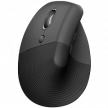
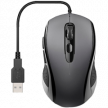

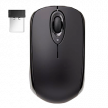
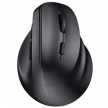
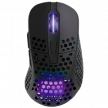

Whether you’ve just built your dream battlestation or unboxed a beast of a gaming laptop, that basic OEM mouse just isn’t going to cut it when it comes time to jump into the game. All mice aren’t created equal and more than any other type, choosing the right gaming mouse can be a make or break decision.
While specialist gaming mice focused on a specific kind of game are great when you only play one genre, most of us jump between a range of games, and that’s where the best all-round gaming mice come in, designed to strike a balance between performance, comfort, and flexibility.
With so many brands and options available however, this isn’t an easy choice to make and it can be overwhelming knowing where to start. To help you along, I’ve pulled together this guide which covers everything you need to know about choosing the perfect all-round gaming mouse for your setup.
We’ll walk through the key specs that matter, explain which features are actually useful (and which aren’t), and ultimately help you figure out what to prioritise for your own style of play.
What Makes a Gaming Mouse, a Gaming Mouse?
Let’s start with the absolute basics, what is a gaming mouse and do you really need one?
Apart from a bit of flashy RGB lighting, at a glance, a gaming mouse likely won’t look that different from any other. It’s got the same general shape, still points and clicks, and probably connects via USB or a wireless dongle. All pretty familiar.
But dig a little deeper under that plastic shell and you’ll find a whole different beast because these mice are designed for speed, accuracy, and durability in ways that standard mice simply aren’t.
The key differences come down to responsiveness, precision, and detail.
- Higher responsiveness – Gaming mice use high-performance sensors that react instantly, keeping up even during fast, panic-level flicks and rapid movements.
- Better precision & tracking – Advanced sensors track more accurately and consistently, so your cursor goes exactly where you expect—no skips, stutters, or drift.
- Faster polling rates – Inputs are sent to your PC far more frequently, making movement and clicks feel noticeably smoother and snappier.
- Lower input latency – Shave off those extra milliseconds between clicking and in-game action—tiny delays that can absolutely decide a win or loss.
Beyond raw performance, there’s flexibility. A good gaming mouse will let you tweak everything to your liking, from DPI sensitivity to button functions, and some even have onboard memory to store specific profiles for different games. Learn more about what a gaming mouse is here.
What to Look for in a Gaming Mouse
Let’s start with the most important but also most confusing details: those raw technical specifications. When it comes to mouse performance, sensor quality is everything, and that’s defined by a few headline details. You’ll have a load of numbers thrown at you by brands on product pages, and it can quickly become confusing to know which ones matter the most. Let’s break down the key specs and how we rank them for importance when testing gaming mice.
DPI
DPI, or dots per inch, is often considered the key sensitivity metric. It determines how far the cursor moves on screen relative to how much you move the mouse across your desk.
While some mice advertise sky-high DPI settings of 20,000 or more, that’s mostly for bragging rights and unlikely to be particularly useful as most gamers settle in the 800 to 1600 range. What really matters, and what we rank highly, is the ability to fine-tune a gaming mouse’s DPI setting with a good level of control.
A strong all-round gaming mouse should offer adjustable DPI in sensibly small increments, with bonus points if you can switch it on the fly.
Remember that DPI is personal — what works best depends on your mousepad size, screen resolution, and playstyle. For FPS players, eDPI = DPI × in-game sensitivity is a better performance indicator.
Polling Rate
This measures how often the mouse reports its position to your PC, and you’ll usually see it displayed in hertz. A 1,000Hz polling rate (which means it updates every millisecond) is now standard in most gaming mice and offers more than enough responsiveness for the vast majority of users.
This is what we look for and should get the job done across games. You’ll see some high-end models go up to 2,000 or even as far as 8,000Hz, but these are edge-case numbers and won’t deliver a benefit for most gamers.
Tracking Speed
Measured in IPS (inches per second), the tracking speed metric tells you how fast you can move the mouse before it starts to lose accuracy. The higher the IPS, the better it can keep up with fast swipes without feeling jittery.
For general gaming, we look for anything above 300 IPS as worthy of praise with 500+ being the gold standard. Paired with a good G-force rating (the max acceleration the sensor can handle), this ensures your fast movements won’t result in erratic tracking or skipped inputs.
Acceleration
This is one of those more deep-cut specs that not everyone pays attention to, and realistically, a good chunk of gamers would happily overlook without any real consequences. Acceleration plays a quiet but important role, however, particularly in how a mouse feels during intense, fast-paced gaming.
Measured in Gs (as in gravitational force), the acceleration rating tells you how well a mouse can handle sudden bursts of motion, like quickly snapping your aim from one enemy to another or making a wild 180 when you hear footsteps behind you.
For general-purpose gaming, anything above 30G is enough, and you’ll rarely hit those limits unless you’re playing with very low sensitivity and making large, fast swipes.
Extra Buttons and Customization
One feature gaming mice offer far more often than standard mice is programmable buttons. These can add flexibility, but more isn’t always better.
- A few extra buttons = more control. Useful for actions like grenades, push-to-talk, melee, or quick inventory access.
- Too many can hurt usability. Overloaded designs can feel awkward, distracting, or uncomfortable if you don’t actually need all those inputs.
- Sweet spot for most gamers: 2–5 programmable buttons is ideal for general gaming without sacrificing comfort.
Most programmable buttons are placed along the side where your thumb rests, making them easy to reach without disrupting your grip. Used well, they can improve both gameplay efficiency and ergonomics.
Tip: Unless you primarily play MMO-style games, it’s usually best to avoid mice with a full number pad on the side. Outside that niche, they’re often more cumbersome than helpful.
Software Support: The Hidden Value Add
A gaming mouse’s supporting software can significantly affect your overall experience, and quality varies a lot by brand.
Look for software that allows you to:
- Rebind buttons easily
- Adjust sensor settings (DPI, polling rate, lift-off distance, etc.)
- Create multiple game profiles for quick switching
- Use macros, not just basic button binds
The best software offers clean interfaces, cloud syncing, and reliable performance, while weaker implementations can feel clunky or frustrating. Before buying, it’s worth checking reviews specifically on how smooth—or painful—the software experience is.
Shape and Ergonomics
No matter what games you play, ergonomics are king and comfort is queen. A mouse that causes hand fatigue or doesn’t suit your grip style will hold you back in every game and could even have long-term impacts on your health. It may sound simple, but before diving into sensor specs and app support, it’s worth figuring out what shape and size best suits you.
Grip style plays a big role here and that’s where you should start.
Palm grip
If the mouse rests fully in your hand with fingers laid flat, look for:
- A slightly larger mouse
- A supportive shape with a more pronounced hump
- Better contact for relaxed, steady control
Claw & fingertip grip
If you hold the mouse more lightly with curled fingers, you’ll likely prefer:
- A lower-profile design
- A lighter mouse that’s easy to lift and flick
- Less bulk for faster, more precise movements
For general gaming, the major brands have largely figured out a strong neutral shape that works across the board. You’ll see this on gaming mice that don’t include other details in their name. If it doesn’t call out a specific genre or characteristic, chances are it’ll be pretty vanilla in shape and feel—not too aggressively sculpted or angled.
Make sure you check the weight of your mouse, too. For most people, somewhere in the 70g to 100g range is usually a good compromise between agility and stability. Wireless mice will almost always be heavier thanks to their internal battery, as will palm grip options, as there’s simply more of them. There are ultralight options, though; some weight-conscious wired mice can be as little as 60g!
Wired vs Wireless: Which Is Better for Gaming?
This might not sound super helpful, but the honest answer is both… or neither. There isn’t a clear winner anymore.
For years, the wired vs wireless debate was a no-brainer. Wired mice were faster, more reliable, and the obvious choice for gaming. That gap has narrowed dramatically.
Today’s best wireless gaming mice rival wired options in latency, accuracy, and responsiveness, making them fully interchangeable for everyone except top-tier pro players. That’s why we don’t penalize a mouse for being wired (or reward it just for being wireless). It comes down to preference and use case.
Why go wireless?
- No cable drag or desk clutter
- Smoother, more flexible movement
- Battery life is no longer a real concern
- Many last a week or more per charge
- Fast charging makes downtime almost a non-issue
- Some support wireless charging or docking stations
As a baseline, we look for 50+ hours of battery life, with extra credit once you hit triple digits.
Why wired still matters
- Still the go-to in esports and pro play
- Absolute peak reliability and responsiveness
- No batteries, no charging, no chance of interference
- Generally more affordable
- Often lighter, since there’s no battery inside
Bottom line: wireless is no longer a compromise, and wired is still the gold standard for simplicity and reliability. Pick what fits your setup—and your patience for charging.
The Best Gaming Mouse Is the One That Adapts to You
Through all of the variances of one gaming mouse to another, one brand to the next, which is best is the one that works best for you and your needs—it’s not a universal truth. This is where flexibility, customization and adaptable features shine and are something we reward when testing.
If you’re the kind of gamer who plays a bit of everything, a good all-round gaming mouse is worth investing in but don’t feel like you need to push every line on the spec sheet to the limits. It doesn’t need to be the lightest, the flashiest, or boast the highest numbers in raw data—it needs to feel right in your hand, behave consistently with control at your level, and be ready to adapt to your habits.
Focus on comfort and shape first, then dial in your preferences for things like weight, sensor performance, and button layout. From there, it’s just about finding a model that balances those priorities within your budget.