
 Micrófonos
 Cámaras de vigilancia
 Cafeteras
 Cajas fuertes

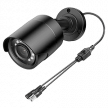


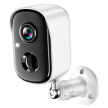
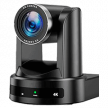
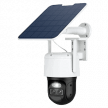

Summary: An in-depth, expert guide to selecting the best indoor security camera, with expert insights on performance, placement, storage, and daily usability.
I run multiple cameras inside my home, and they’ve become tools I use every day – not just security devices I check occasionally. Indoor cameras sit in living rooms, hallways, and garages. They’re used to check in on kids, monitor pets, and confirm activity throughout the day. Because they operate inside personal spaces, they require a different mindset than perimeter-focused security systems.
Choosing the right indoor camera means thinking beyond basic recording. You need reliable WiFi performance, accurate motion detection that doesn’t overwhelm you with alerts, strong privacy controls, and an app that works smoothly when you open it several times a day. This guide focuses specifically on those indoor considerations so you can build a system that fits naturally into your household without feeling intrusive.
If you’re comparing broader setups, you can explore all system types in our main surveillance camera guide.
Video Quality and Resolution for Indoor Monitoring
Video quality inside your home isn’t about buying the highest number on the box. It’s about matching resolution, lens coverage, and low-light performance to the size of your space and what you actually want to see.
Resolution Needs for Indoor Spaces
Resolution refers to the number of pixels in the image. More pixels (such as 4K) capture finer detail. Fewer pixels (such as 1080p) still provide clear video, but with less ability to zoom in after recording.
I use 1080p cameras in my main rooms, and for typical indoor distances (around 10 to 15 feet), they’re more than sufficient for identifying who’s walking through the space. Where 1080p starts to struggle is with fine detail at longer distances, such as trying to read text on a screen across the room. That limitation isn’t a flaw; it’s simply the tradeoff of lower resolution.
4K provides more flexibility if you need to zoom in later or monitor a larger open-plan space. However, that additional detail comes at a cost. Higher resolution increases bandwidth usage and storage demands. When testing higher-resolution streams, I noticed a measurable impact on network performance, especially with multiple cameras running.
For most average-sized rooms, 1080p provides reliable identification without the added network burden.
Field of View Considerations
Field of view (FOV) describes how wide an area the camera captures, measured in degrees. A wider field of view covers more of the room but can introduce distortion at the edges.
A 130-degree lens may seem ideal because it captures a broad area. In practice, very wide angles can stretch objects and faces near the edges of the frame, particularly along walls. This distortion reduces useful detail where identification matters. A slightly narrower range (around 100 to 110 degrees) tends to produce a more natural-looking image in the center of the frame.
Mounting position significantly affects performance. Wide-angle lenses are generally better suited for corner placement, where coverage is distributed more evenly. Wall-mounted cameras facing straight into a room often benefit from a narrower field of view to minimize distortion. Instead of attempting to see every corner, focus on monitoring primary traffic paths such as entrances, hallways, and seating areas.
Low-light Performance Indoors
Indoor lighting changes constantly, throughout the day, making low-light performance critical. Most indoor cameras rely on infrared (IR) night vision, which uses invisible light to illuminate dark spaces. This allows recording in total darkness, but the footage switches to black and white and often loses fine detail. In my own testing, identification quality dropped noticeably once the cameras shifted fully into infrared mode.
Some models offer color night vision, which enhances available light rather than relying entirely on infrared. This technology performs best when there is at least minimal ambient light, such as street lighting through windows or lamps left on overnight. Adding modest motion-activated lighting indoors can also significantly improve clarity.
Before selecting a camera, consider how dark the room becomes at night and whether you are willing to maintain some level of lighting. In many homes, the difference between infrared-only footage and enhanced low-light color recording determines whether the video is simply visible or genuinely useful for identification.
Power Source and Installation Options
Power choice directly affects reliability, maintenance, and long-term performance.
Hardwired vs. Battery-Powered Cameras
Most indoor cameras fall into two categories: plug-in (AC-powered) or battery-powered.
Plug-in cameras connect to a standard wall outlet and provide continuous power. My indoor cameras use this setup, which allows uninterrupted recording without the need to recharge batteries. For cameras intended to monitor primary living spaces or run continuously, plug-in models are generally more reliable because they don’t require maintenance downtime.
Battery-powered cameras are useful when running a power cable isn’t practical, such as in rentals or temporary setups. However, battery models typically conserve energy by recording only when motion is detected. They also require periodic charging, and frequent alerts can shorten battery life significantly. For indoor cameras expected to operate consistently, plug-in power is usually the better long-term choice.
Power over Ethernet (PoE)
Power over Ethernet (PoE) delivers both electrical power and network data through a single Ethernet cable. Instead of using WiFi and a wall adapter, the camera connects directly to your router or network switch via cable.
PoE systems offer two primary advantages: connection stability and network performance. Because they do not rely on WiFi, they avoid signal interference and bandwidth congestion from other devices. This makes them especially appealing for multi-camera setups or higher-resolution recording. However, PoE requires running Ethernet cables, which is easiest during construction or renovation and less practical as a retrofit in finished homes.
If you’re unsure what installation involves, you can learn more in our guide on how to install surveillance cameras before committing to a wired setup.
WiFi and Network Considerations
Installation flexibility depends on your home’s existing infrastructure and technical comfort level. Wireless cameras let you place them anywhere with decent WiFi coverage. In practice, coverage can vary significantly from room to room. Walls, distance, and competing devices all affect reliability.
For example, my garage camera required a mesh network extender because it was too far from the main router. Even then, video quality drops during peak internet usage.
When planning an indoor setup, test the upload speed at each intended camera location. These are some network connectivity requirements:
- 2-4 Mbps upload bandwidth per 1080p camera during active recording
- 5GHz WiFi band for better performance, though range suffers through walls
- Mesh network nodes for properties with WiFi dead zones
- Ethernet connections eliminate bandwidth competition with other devices
- Test actual upload speeds at each camera location before installation
Motion Detection and AI Features
Person and pet detection transformed my indoor cameras from notification spam generators into something I could actually rely on. Before enabling AI filtering, my cameras triggered dozens of alerts daily from shadows shifting, ceiling fans spinning, and my dog wandering around the house.
Basic motion detection works by looking for changes in pixels. It doesn’t understand what caused the movement – just that something changed. The AI-powered detection distinguishes between actual people and random motion. The camera analyzes shapes and movement patterns to determine whether it’s seeing a person, an animal, or background motion. Even standard person detection dramatically reduces false alerts. In my setup, it cut unnecessary notifications by the vast majority, though it still occasionally mistakes my dog for a person in low light.
More advanced systems can recognize specific family members, but that level of identification isn’t essential for most homes. Reliable person detection is what matters indoors, where normal activity is constant, and you don’t want to be notified every time someone walks past the camera.
Setting up motion zones properly matters just as much as the AI itself. Motion zones let you define which parts of the frame trigger alerts. Without them, every movement anywhere in view sets off a notification. It took weeks of fine-tuning to get mine right. I had to exclude high-traffic areas like the kitchen walkway where family members constantly pass, while keeping coverage on entry points and valuable items.
My living room camera ignores the couch area during the evening but actively monitors the front door and electronics cabinet. Night sensitivity needs different settings than daytime since infrared changes how motion appears to the camera. I learned this after getting alerts every time the heating system turned on and shifted the air. Proper configuration is what makes indoor cameras usable rather than intrusive.
Pan/Tilt/Zoom Capabilities
Pan/Tilt/Zoom (PTZ) cameras can rotate horizontally (pan), move vertically (tilt), and zoom in digitally or optically. This may sound appealing for indoor use, since one unit can theoretically cover an entire room, but they are rarely the best choice forhome applications. The motors and moving components add failure points, consume more power, and create noise when repositioning, which is something that becomes noticeable in bedrooms, nurseries, or quiet living spaces.
More importantly, PTZ cameras can only watch one direction at a time, so you’ll miss activity elsewhere while the camera is focused on tracking movement. For consistent indoor coverage, fixed cameras often perform better. My own indoor units remain stationary, focused on entry points and high-value areas. With perimeter cameras already handling outside monitoring, fixed indoor cameras provide predictable, stable coverage without unnecessary movement.
For consistent indoor coverage, fixed cameras often perform better. A camera that moves and zooms can feel less predictable, especially in personal spaces. Fixed cameras remain pointed in a known direction, making it clear what is (and is not) being recorded. That consistency can make household members more comfortable with indoor monitoring.
Two-Way Audio and Communication
I use two-way audio more than any other feature on my indoor cameras. When the kids get home from school, I can speak to them immediately. During thunderstorms, I use it to calm the dog down without being in the same room. Indoors, cameras often become communication tools, not just security devices.
Sound quality matters more inside than it does outdoors. Outside, audio is typically used for short warnings or deterrence. Indoors, you may be having normal conversations. That requires clear speaker output and a microphone that captures voices accurately without amplifying background noise. My living room camera sounds clear for normal talking, but the garage camera is muffled, and I have to raise my voice.
Key audio considerations for indoor use:
- Speaker clarity matters more than volume for comfortable conversations
- Microphone sensitivity should filter household noise, like HVAC systems and fans
- Echo cancellation prevents feedback during two-way communication
- Background noise from appliances affects placement decisions
- Consider family privacy when positioning cameras with always-on microphones
Local Storage vs Cloud Options
How your footage is stored affects privacy, cost, and long-term usability. Indoor cameras, in particular, often capture sensitive areas of the home, so storage decisions carry more weight than they do with outdoor perimeter cameras.
Broadly, storage falls into five categories: cloud-only subscriptions, local SD card storage, network-attached storage (NAS), or a hybrid combination of local and cloud.
Local storage gives you complete control over your indoor footage, which matters more for private spaces than outdoor perimeter monitoring. You can learn more about which micro SD card to use with surveillance cameras to avoid compatibility and durability issues.
Privacy Features and Security
Privacy matters more for indoor cameras than any other feature. These devices sit in your most private spaces: living rooms, bedrooms, hallways, and other personal spaces, so how footage is processed and stored is critical.
Cloud-based systems upload recordings to external servers. That enables convenient remote access, but it also means your footage exists outside your home network. End-to-end encryption protects that data by scrambling it before it leaves the camera, so only devices you authorize can view it – not even the manufacturer can access the video. Systems with local processing keep video analysis on the device, reducing what gets transmitted externally.
Physical privacy controls are just as important. Privacy shutters and LED indicators help you know when cameras are active. Privacy shutters physically block the lens with a sliding cover, while LED lights show recording status, though small lights can be easy to miss in daylight. Disabling status LEDs may seem convenient, but it removes a visible reminder that recording is active.
Access control becomes complicated when multiple family members need camera access. Sharing your main account credentials is risky. In my case, I frequently add temporary access for house sitters when I travel, which requires careful permission management. Guest accounts should have limited viewing windows and no ability to download footage.
The best systems let you create temporary access codes that expire automatically rather than sharing your main account credentials with everyone who might need to check the cameras. If you want a deeper explanation of how manufacturers manage user data, check out our guide on surveillance cameras and data protection.
Mobile App Quality and Daily Use
For indoor cameras, the mobile app is the product. You’ll likely check it multiple times daily, so even excellent hardware becomes frustrating if the app is slow or unreliable. In my setup, the Ring app loads live video quickly and handles two-way audio without lag, but the motion zone setup interface is clunky and requires multiple attempts to get boundaries right. That responsiveness matters when you’re checking on kids, pets, or unexpected activity. Small usability issues become magnified when you interact with the app daily.
Because indoor cameras are used frequently (not just during emergencies), prioritize apps that load live feeds quickly and switch between cameras smoothly. You also want it to be easy to adjust settings within the app, but advanced features are secondary to reliability. When things are hectic, the app needs to work immediately, without lag, crashes, or confusing controls.
Smart Home Integration
Connecting indoor cameras to voice assistants, lighting systems, and other smart devices turns them into home automation hubs. In my case, my Ring cameras work with Alexa, so I can ask to see the living room on Echo Show devices or enable privacy mode with voice commands. Motion detection can trigger smart lights or announcements through connected speakers.
Automation scenarios make indoor cameras genuinely useful for busy families rather than just passive recording devices. My indoor cameras switch to “home” mode when our phones connect to WiFi, turning off indoor recording while outdoor cameras stay active. At night, motion detection turns on pathway lights and sends alerts only to my phone so others aren’t disturbed.
When evaluating integration, focus less on brand compatibility alone and more on whether the system allows meaningful, customizable routines that fit your household’s habits.
Camera Placement
Here are the top mounting solutions for indoor cameras:
- Tabletop stands – Work well for temporary placement and easy repositioning, but are more visible and easier to knock over
- Magnetic mounts – Flexible and simple to install, but limited weight capacity for heavier cameras
- Wall mounts with anchors – Provide secure, permanent placement, but must match your wall type since standard drywall anchors fail with heavier cameras
- Corner mounts – Provide wider coverage angles but complicate cable management
- Ceiling mounts – Hide cameras better and harder to tamper with, but reduce facial identification capability compared to eye-level placement
- Adhesive mounts – Work for lightweight cameras and rental properties, but leave residue or damage paint when removed
- Outlet-mounted cameras – Integrate power and positioning in one unit, but limit placement options to outlet locations
Common Indoor Camera Mistakes
These setup mistakes cost me time, reliability, and, in some cases, household comfort over several years of using indoor cameras:
- Ignoring WiFi dead zones – Not every room has strong signal coverage. My garage camera required a mesh extender after installation, something I could have planned for upfront.
- Over-tuning motion sensitivity settings – Increasing alert sensitivity doesn’t improve security if it leads to constant notifications. I turned mine up too high, then started ignoring alerts altogether.
- Forgetting to test during peak internet hours – Cameras may stream smoothly during the day, but become choppy between 7–10 PM when household bandwidth is heavily used.
- Positioning cameras toward overly private areas – Even unintentional coverage of sensitive spaces can make guests or family members uncomfortable.
- Leaving cameras active during gatherings – Visible recording during social events can feel intrusive. Indoor cameras should be easy to pause when appropriate.
Choosing the Right Indoor System
For most homes, fixed cameras positioned at key entry points and high-traffic areas provide the most reliable coverage. In practice, multiple budget cameras often outperform single expensive units with fancy features. Placement and consistency matter more than advanced specifications.
Focus on areas where movement naturally funnels – near entry doors, along connecting hallways, at the base of staircases, or in a main living space where people pass through regularly. For families with young children, a dedicated camera in the playroom provides peace of mind during quick trips to other rooms, a dedicated camera in the playroom provides peace of mind during quick trips to other rooms. Bedrooms and bathrooms, however, are generally best avoided to maintain clear privacy boundaries for both family members and guests.
The decision between subscription-based cloud storage and local storage comes down to convenience versus control. Cloud systems offer simple setup and remote access, while local systems reduce recurring costs and keep footage within your network. Start with fewer cameras than you think you need, test placement and lighting performance, and expand once you understand how the system fits into your daily routine.