
























El modo de estacionamiento es una función importante a considerar al decidir qué tipo de cámara de salpicadero comprar. Si bien las cámaras de salpicadero te vigilan a ti y a tu coche mientras conduces, el modo de estacionamiento ofrece seguridad adicional cuando los propietarios no están cerca de sus vehículos. Tanto si dejas tu vehículo en un aparcamiento, en una calle transitada de la ciudad o en tu vecindario, el modo de estacionamiento te brinda tranquilidad y una capa adicional de protección.
Características principales de las dashcam modo parking
Activación del modo de estacionamiento
El modo de estacionamiento requiere que la cámara de salpicadero tenga acceso constante a la energía, incluso con el encendido del vehículo apagado. El método más común para lograrlo es conectar la cámara de salpicadero a la batería del coche. El cableado no es especialmente difícil para aficionados al bricolaje, pero muchos prefieren la instalación profesional en una tienda de equipos de sonido o electrónica. La instalación profesional suele tardar unas horas y se requiere un kit de cableado compatible, que la mayoría de las compañías de cámaras de salpicadero venden por separado. Busca kits que incluyan interruptores de voltaje y fusibles para proteger tanto la cámara de salpicadero como la batería del coche.
Como alternativa, muchas cámaras de salpicadero ofrecen baterías de respaldo. Estas permiten que una cámara de salpicadero que se conecta a una toma de 12 voltios siga funcionando incluso con el arranque apagado. Las baterías de respaldo suelen ser más fáciles de instalar que el cableado, pero aun así requieren cierta planificación: hay que encontrar un lugar donde colocar la batería, como la guantera o debajo del asiento, y tender los cables entre la cámara de salpicadero y la batería.
Ten en cuenta que las baterías de respaldo se recargan a través de la toma de 12 voltios del vehículo, por lo que funcionan mejor si el coche se conduce con frecuencia. Conducir de 20 a 30 minutos puede mantener la batería cargada para la supervisión diaria del estacionamiento.
Muchas dashcam modo parking incluyen una función de supervisión de voltaje para evitar que se descargue la batería del coche. Según el modelo, esta función puede estar integrada en la propia cámara o incluida en el kit de cableado.
El sistema controla el voltaje de la batería del auto y apaga automáticamente la cámara de salpicadero si este cae por debajo de un umbral establecido, generalmente entre 12.0 V y 12.2 V. Algunos modelos permiten ajustar este umbral, lo cual puede ser útil según la antigüedad y el tipo de batería, o el comportamiento diferente de los vehículos híbridos o eléctricos. Para estacionamientos prolongados o vehículos con baterías más antiguas, una batería de respaldo puede extender el tiempo de grabación y, al mismo tiempo, proteger la batería principal del vehículo.
Cómo funciona el modo de estacionamiento
Al conducir, la mayoría de las cámaras de salpicadero utilizan la grabación en bucle, sobrescribiendo continuamente las grabaciones antiguas en la tarjeta de memoria. Un sensor G integrado detecta impactos y guarda grabaciones de colisiones o movimientos repentinos. En cambio, el modo de estacionamiento funciona de forma diferente para ahorrar batería y almacenamiento. Las cámaras de salpicadero detectan cuando el motor está apagado y solo comienzan a grabar cuando ocurre un evento, ya sea un impacto detectado por el sensor G, detección de movimiento u otros factores desencadenantes.
Si el modo de estacionamiento utiliza un sensor G, la cámara guarda videos de los incidentes para revisarlos posteriormente. Busca modelos que permitan ajustar la sensibilidad del sensor G: si es demasiado baja, la cámara podría pasar por alto eventos menores pero relevantes; si es demasiado alta, generará falsas alertas por vibraciones o vientos fuertes.
Algunas cámaras para salpicadero también incluyen el modo de lapso de tiempo para aparcar, que captura imágenes fijas a intervalos (normalmente un fotograma por segundo) y las compila en un vídeo condensado. Esto permite revisar horas de actividad en minutos, ahorrando espacio de almacenamiento y batería. El modo time-lapse es ideal para aparcamientos de larga duración, como la vigilancia de aparcamientos en aeropuertos, vehículos de flotas comerciales o coches que se dejan durante la noche, aunque el vídeo resultante puede ser menos detallado que las grabaciones estándar.
Funciones avanzadas del modo de estacionamiento
Algunas cámaras para salpicadero ofrecen detección de movimiento que graba solo cuando se produce movimiento alrededor del vehículo. Los modelos de gama alta utilizan inteligencia artificial (IA) para distinguir entre amenazas reales, como alguien que mira dentro del coche, y actividades inofensivas, como transeúntes o pájaros. Esto reduce los vídeos innecesarios y, al mismo tiempo, captura eventos relevantes.
Las cámaras de salpicadero conectadas pueden incluir módems que envían alertas a tu smartphone al detectar un impacto o movimiento. Algunas permiten ver la transmisión en vivo mediante una aplicación. Las cámaras de salpicadero con conexión a la nube pueden cargar automáticamente grabaciones para copias de seguridad, lo que reduce las preocupaciones de almacenamiento y permite compartir las grabaciones con compañías de seguros o las fuerzas del orden. Busca modelos con modo de estacionamiento con búfer, que utiliza la memoria interna junto con una tarjeta de memoria para capturar video justo antes y después de un incidente, garantizando una cobertura completa.
Al elegir una parking dashcam, ten en cuenta la cantidad de canales. Los sistemas de dos canales cubren la parte delantera, interior o trasera, mientras que los sistemas de tres canales protegen la parte delantera, interior y trasera simultáneamente. Las configuraciones multicanal aumentan la complejidad de la instalación, requieren tarjetas de memoria más grandes y son más costosas. La capacidad de memoria recomendada para el modo de estacionamiento de dos canales es de al menos 128 GB y de 256 GB o más para los sistemas de tres canales.
Consideraciones prácticas para los compradores
Ventajas de las dashcam modo parking
- Vigilancia 24/7 cuando el vehículo está desatendido
- Grabación contextual para incidentes como accidentes, vandalismo o allanamientos.
- Imágenes guardadas para reclamaciones de seguros o informes policiales
- Alertas en tiempo real, almacenamiento en la nube y ubicación GPS al utilizar modelos conectados
Desventajas de las dashcam modo parking
- El cableado o la instalación de una batería de respaldo pueden requerir asistencia profesional
- Un mayor consumo de energía puede sobrecargar la batería del vehículo si el control de voltaje es inadecuado
- Requiere tarjetas de memoria más grandes o múltiples para una cobertura extendida
- La conectividad en la nube y las alertas en tiempo real suelen añadir un coste adicional
Cosas clave a tener en cuenta
- Kits de cableado: incluyen corte de voltaje (estándar 12,0–12,2 V) y protección contra bajo voltaje
- Baterías de respaldo: 4000–6000 mAh para 10–20 horas de modo de estacionamiento
- Sensibilidad del sensor G: ajustable en 3 a 5 niveles
- Tarjetas de memoria: clasificación U3 o V30; mínimo de 64 a 128 GB para canal único, 128 a 256 GB para canal doble, 256 a 512 GB para canal triple
- Detección de movimiento: IA habilitada para filtrado de amenazas si las falsas alarmas frecuentes son una preocupación
- Intervalo de lapso de tiempo: 1 a 5 segundos por fotograma para estacionamiento a largo plazo
Marcas y tipos populares de dashcam modo parking
A continuación, se muestran varias dashcam modo parking que están disponibles actualmente y algunas de sus características más destacadas.
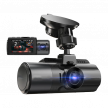
70mai 4K Omni
Esta cámara para salpicadero cuenta con una cámara giratoria de 360 grados y resolución 4K gracias al sensor de imagen Sony STARVIS IMX678. Sus tecnologías 70mai Night Owl y Lumi Vision ofrecen imágenes de vídeo nítidas, independientemente de la iluminación o la hora del día. Este modelo ofrece grabación a intervalos en modo de aparcamiento, así como grabación de emergencia con búfer para capturar el antes y el después de cualquier incidente. El monitor de voltaje de la batería garantiza la protección de la batería del coche y admite hasta 512 GB de almacenamiento externo. La compatibilidad con 4G ofrece notificaciones de incidentes y transferencias de vídeo instantáneas.
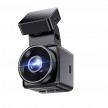
Thinkware U3000
La Thinkware U3000 es una cámara de salpicadero con doble cámara, sensores de imagen Sony STARVIS 2, un sensor de radar integrado para detección de movimiento y la tecnología Super Night Vision 4.0 de la compañía. Una función de estacionamiento inteligente supervisa la temperatura interior del vehículo y cambia automáticamente a un modo de bajo consumo para proteger la cámara del sobrecalentamiento. Al conectarse a la nube, una aplicación para smartphone permite a los usuarios controlar sus vehículos de forma remota y recibir notificaciones de impacto. La vista remota en vivo y del historial de conducción proporciona mayor seguridad e información para familias o propietarios de flotas.
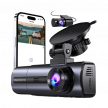
Cámara de salpicadero Nexar One 4K
Nexar One graba en resolución 4K con un sensor Sony STARVIS 2 y el Plan de Protección LTE de Nexar ofrece transmisión en vivo de la señal de video de la cámara para salpicadero, alertas de emergencia, rastreo GPS y almacenamiento ilimitado en la nube. Cuando su sensor G detecta un impacto, la cámara para salpicadero envía una notificación al propietario mediante una aplicación para smartphone y está diseñada para “hibernar” , con el fin de ahorrar batería mientras controla el vehículo.
Preguntas frecuentes
¿Cuánto tiempo puedo grabar en modo estacionamiento?
Con una batería de coche promedio, se puede esperar unas 8 horas de grabación en modo de estacionamiento. Los factores que influyen en esta estimación son el tamaño y el estado de la batería, las temperaturas extremas de la zona y la eficiencia energética del modelo de cámara de salpicadero. Los propietarios de vehículos también pueden añadir una batería de respaldo para prolongar la duración del modo de estacionamiento de la cámara de salpicadero.
¿Las dashcam modo parking son más caras?
Las dashcam modo parking no suelen ser más caras, aunque tener una cámara de salpicadero instalada permanentemente o comprar una batería de respaldo para que esté siempre activa aumentará el coste. De igual manera, las cámaras de salpicadero con funciones más avanzadas, como detección de movimiento y conectividad, son más caras.
¿El modo de estacionamiento agotará mi batería?
Muchos modelos incluyen tecnología de control de voltaje y están diseñados para minimizar la descarga de la batería. Si la descarga de la batería es un problema, un paquete de baterías externo te proporcionará la energía necesaria y te brindará tranquilidad.
¿Cuáles son algunas de las características más importantes a tener en cuenta en el modo de estacionamiento?
Decide qué funciones del modo de estacionamiento, como detección de impacto, grabación con lapso de tiempo, detección de movimiento y otras, se adaptan mejor a tus necesidades y luego busca modelos con estas funciones.
¿Necesito una cámara de salpicadero con múltiples cámaras si uso el modo de estacionamiento?
Sí, si deseas grabar algo más que solo el frente de un vehículo, necesitarás una cámara de salpicadero con doble cámara, ya sea trasera o interior, o una cámara de salpicadero con tres cámaras si deseas cubrir el frente, la parte trasera y el interior de un vehículo.