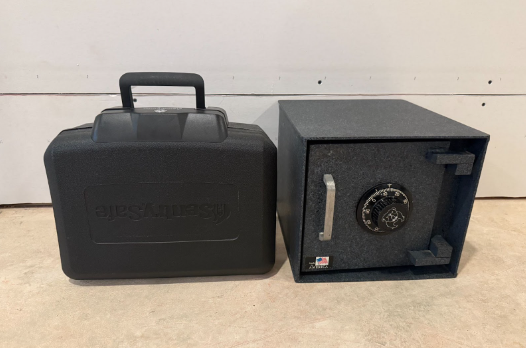
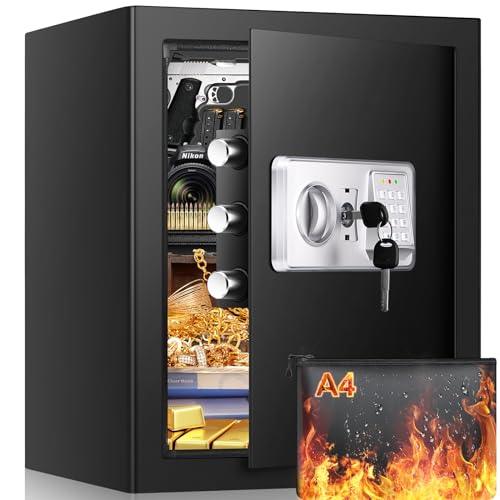
As an engineer who owns two traditional safes–one with a rotating combination lock and another with a simple key – I’ve spent years researching biometric alternatives. The appeal is obvious: faster access, no lost keys, and no forgotten combinations.
But biometric security is widely misunderstood. Marketing often presents it as a flawless upgrade, while glossing over its limitations, reliability challenges, and real-world trade-offs. To make informed decisions about home security and storage, it helps to understand not just how biometric systems work, but when they actually improve protection and when they don’t.
This guide focuses specifically on how biometric security works, where it excels, where it falls short, and what you should realistically expect before relying on fingerprint-based access. For a broader overview of safe types and features, see our main safe buyer’s guide.
What Biometric Security Means in Everyday Use
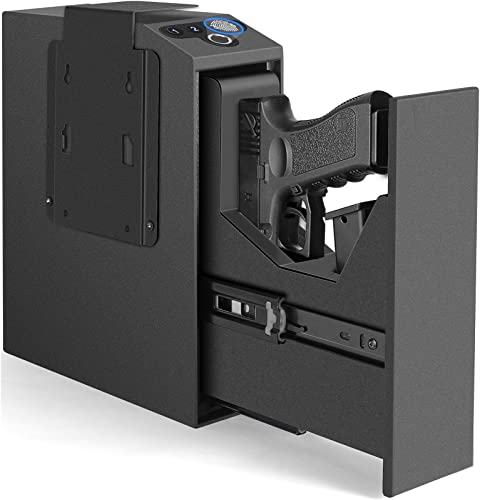
Biometric security replaces traditional keys and mechanical combinations for your unique physical identifiers, most commonly fingerprints. Instead of memorizing a six-digit code or turning a key, you just place your finger on a sensor, which scans the unique ridge patterns and compares them to stored data. If the match is close enough, the safe unlocks.
During setup, your fingerprint is captured multiple times and converted into a digital template that is encrypted and stored in the safe’s memory. When you need access to the safe, the scanner captures your fingerprint again and compares it to the stored template. If they align within the programmed tolerance, the locking mechanism releases.
Most modern biometric safes use capacitive fingerprint sensors, which read the electrical differences between the ridges and valleys of your skin. These are far more reliable than older optical scanners, which relied on photographic images and could sometimes be fooled by simple tricks. In daily use, capacitive sensors generally deliver faster recognition, better accuracy, and stronger resistance to spoofing.
For buyers, what matters most is that biometric systems offer fast, intuitive access – but they also introduce electronic components that can fail, degrade, or become unreliable under certain conditions. If you’re unfamiliar with how locking mechanisms function more broadly, our guide on how safes work explains the fundamentals behind mechanical and electronic locks.
Pros and Cons of Biometric Safes
Types of Biometric Locks and How They Compare
There are four main types of biometric locks for safes. Here’s how each of them works.
Fingerprint Scanners: The Practical Standard
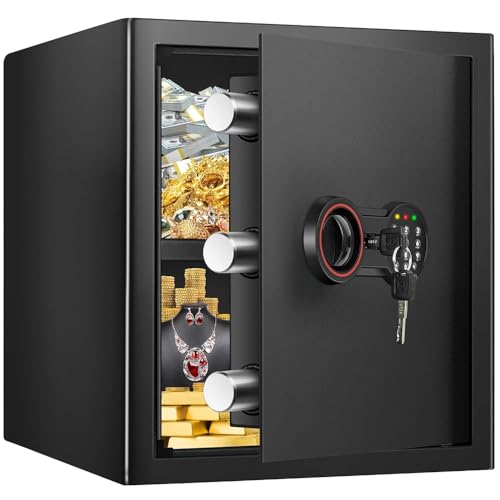
Fingerprint scanners dominate the home safe market and are found in most biometric safes. Two varieties exist: optical sensors that photograph your fingerprint, and capacitive sensors that read electrical signals from your skin. Capacitive models cost more but offer better accuracy and security. For most buyers, a high-quality fingerprint scanner provides the best balance between convenience, reliability, and cost.
Facial Recognition Systems: Limited Home Value
Facial recognition systems exist but remain uncommon in home safes due to their higher cost and power requirements. They also perform poorly in low light, and often struggle with camera positioning. While useful in certain commercial environments, they add complexity without delivering meaningful advantages for home users.
Iris Scanners: Maximum Security, Minimal Practicality
Iris scanners are the most secure biometric option, yet you’ll rarely find them outside military or high-security commercial installations. This technology uses expensive cameras and precise positioning. For at-home storage of documents, valuables, or firearms, iris scanning offers little real-world benefit relative to its cost and complexity.
Voice Recognition: Inconsistent and Unreliable
Voice recognition appears occasionally in hybrid systems but is rarely used alone. Environmental noise and voice changes from illness often create reliability issues that most homeowners want to avoid, which explains why I haven’t seen many standalone voice-activated safes in my research. Most buyers are better served by fingerprint-based systems.
Biometric vs. Traditional Locks: What Really Matters for Buyers
Here’s how biometric locks compare to traditional ones:
Access Speed and Stress Performance
Biometric locks are undeniably faster in calm conditions. However, under stress, many users struggle with proper finger placement, leading to false rejections. Mechanical combinations, while slower, often perform more reliably in high-stress situations due to muscle memory and predictable operation.
Reliability Over Time
Mechanical locks tend to outperform biometric systems in long-term reliability. With minimal maintenance, combination dials and key locks can function flawlessly for decades. Biometric systems, by contrast, rely on electronics that degrade, sensors that wear, and batteries that must be replaced regularly.
Cost vs. Value
Traditional combination locks offer the best value. Biometric safes command higher prices but mainly offer convenience rather than improved security. For many buyers, the premium is justified by daily usability rather than enhanced protection.
Best Use Cases
I’d recommend biometric locks for safes you access frequently – daily medications, frequently-used documents, or items needed during emergencies. Mechanical locks remain ideal for long-term storage of important documents, heirlooms, or items rarely accessed.
The Case for Hybrid Systems
The smartest approach pairs biometric access with mechanical backup methods. This gives you speed for normal use and guaranteed access when electronics fail. Many manufacturers build this redundancy in, offering fingerprint scanning with hidden key override or backup combination dials. For most buyers, this hybrid design offers the best balance of convenience and security.
What To Consider Before Buying a Biometric Safe
Before purchasing your biometric safe, consider the following:
Fingerprint Storage and User Management
Home biometric safes typically store anywhere from 10 to 100 fingerprints. In practice, each person should register multiple fingers to account for injuries, dryness, or dirt. This means storage capacity fills up quickly, especially in households with multiple users. Advanced models also allow different access levels, which can be useful for managing family or shared access.
Battery Life and Power Management
Battery life varies wildly between models, ranging from 6 months to 3 years, depending on usage frequency and standby power consumption. Look for safes that warn you weeks before batteries die – getting locked out because of dead batteries defeats the purpose. Some higher-end models include external battery terminals or USB charging ports for emergency power. Without these, dead batteries can become a serious access problem.
Backup Access Systems
Mechanical backup options are essential. The best models include hidden key overrides or emergency combination dials that work even when electronics fail completely. I’ve seen too many people locked out of pure biometric systems during power outages or sensor malfunctions. Physical backups add cost but save headaches later.
Sensor Quality and Environmental Factors
Capacitive sensors outperform optical ones in most situations, especially when your fingers are wet or dirty. But even expensive sensors struggle with extreme temperatures, high humidity, or direct sunlight hitting them. Safes placed in garages, basements, or outdoor structures may experience higher failure rates. Placement decisions also affect both security and access reliability, which you can learn about in our guide on where to hide a safe.
Interior Space, Mounting, and Fire Ratings
Biometric safes often sacrifice interior space for electronics, so measure your storage needs carefully. Many models require permanent mounting to maintain sensor alignment. Fire resistance is also more complex with electronic components, as extreme heat can destroy the biometric components even if the contents of the safe survive. Check whether the manufacturer guarantees the electronic function after fire exposure.
Installation and Setup: Why Proper Configuration Matters
Biometric safes are generally easy to install, but reliability problems usually come from poor setup rather than hardware defects. Placement matters more than most buyers realize. Heat, humidity, and direct sunlight interfere with fingerprint sensors, so safes should be installed in stable, climate-controlled locations on level surfaces to avoid long-term calibration issues.
Power is another common failure point. High-quality alkaline batteries reduce the risk of leakage and inconsistent voltage, both of which can damage internal electronics. Before relying on biometric access, it’s essential to confirm that all backup entry methods work properly, including mechanical overrides and emergency power options.
Fingerprint enrollment is where many users run into trouble. Scans should be recorded with clean, dry hands, in good lighting, and without rushing. Enrolling multiple fingers per person – and registering each finger from different angles – significantly improves recognition when hands are injured, dirty, or under stress. Testing fingerprints again after the safe has been idle for a day often reveals issues that don’t appear immediately.
Permanent mounting should be the final step. Once a safe is bolted down, troubleshooting becomes far more difficult. Keeping the safe unmounted for several days allows time to confirm that biometric access, backups, and alerts all function reliably.
Key setup steps to double-check:
- Verify all backup access methods before enrolling fingerprints
- Enroll at least two fingers per user
- Store the master reset code separately from the safe
- Delay permanent mounting until the safe has proven reliable
For step-by-step placement and mounting considerations, see our guide on how to install a safe.
Maintenance and Troubleshooting in Real-World Use
Security and Privacy Risks
Biometric safes face unique vulnerabilities that traditional mechanical locks simply don’t have. While fingerprint spoofing requires technical expertise and is unlikely in casual theft scenarios, poorly secured biometric systems may store fingerprint data in unencrypted form, making it accessible to attackers with physical access.
The most secure biometric safes store only encrypted templates and process scans locally without external connectivity. Even so, biometric data cannot be changed once compromised. For this reason, biometric systems should be viewed as convenience features rather than primary security barriers, especially for highly sensitive valuables.