





























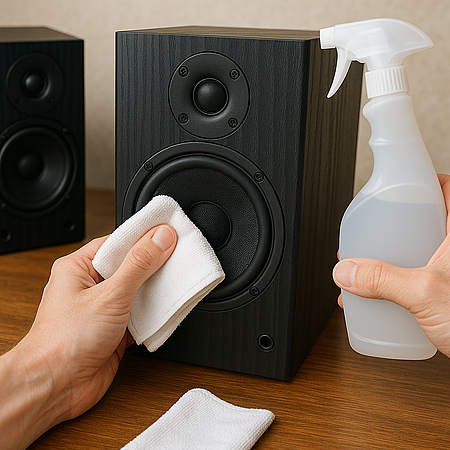
Speakers don’t just collect dust; they collect performance issues.
Over time, dust buildup, fingerprints, pet hair, and debris can affect airflow, trap heat, and even alter sound clarity. Regular cleaning not only keeps speakers looking good but also protects delicate components and preserves sound quality.
This guide walks you through how to clean different parts of your speakers safely, without risking damage to drivers, finishes, or internal electronics.
Quick Answer: How Do You Clean Speakers?
To clean speakers safely, power them off and unplug them first. Use a dry microfiber cloth to wipe cabinets, a soft brush or low-suction vacuum for grilles, and a gentle brush for woofer cones. Avoid liquids on drivers and never press on tweeters. Keep moisture away from internal components and ensure everything is fully dry before reconnecting.
What You’ll Need:
- Microfiber cloth
- Distilled water
- A soft-bristled brush or vacuum
- A lint roller (optional, for cloth grilles)
Step 1: Power Down and Unplug
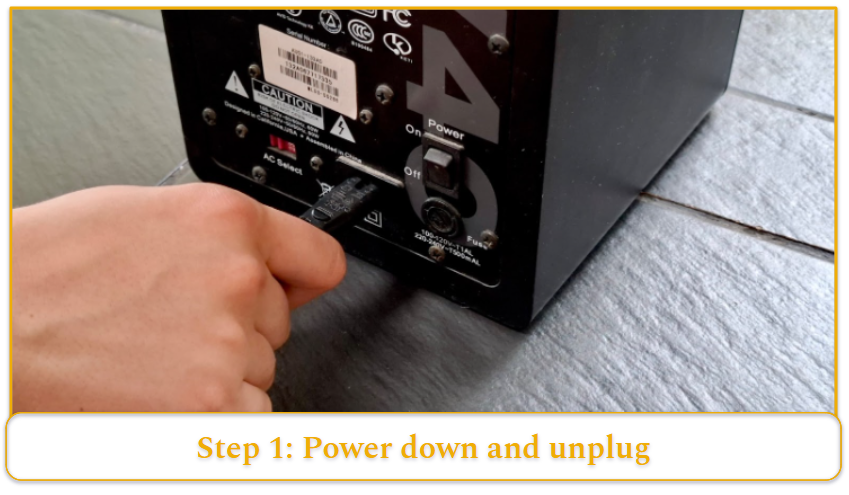
Always turn off and unplug your speakers before cleaning to prevent electrical hazards and protect internal components.
Step 2: Remove Dust from the Exterior
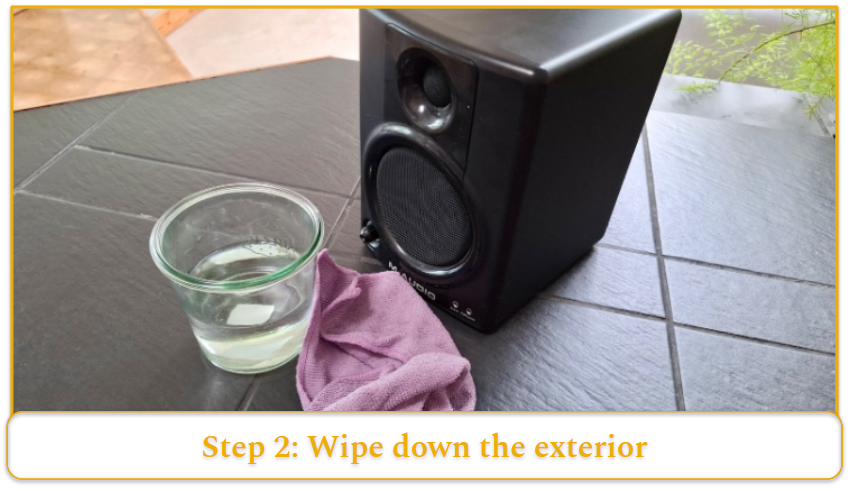
- Use a dry microfiber cloth to gently wipe down the speaker cabinets.
- For stubborn dust, lightly dampen the cloth with distilled water.
- Avoid using paper towels or abrasive materials that can scratch surfaces.
Step 3: Clean the Speaker Grilles
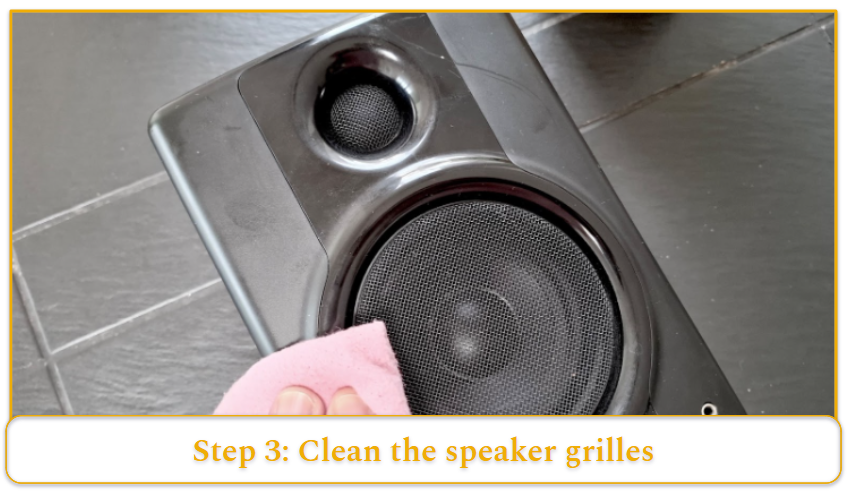
- If removable, gently detach the grilles.
- Use a soft-bristled brush or vacuum with a brush attachment to remove dust.
- For fabric grilles, a lint roller can be effective.
- If necessary, wipe with a damp cloth using mild detergent, then let them air dry completely before reattaching.
Step 4: Clean the Speaker Cones and Drivers
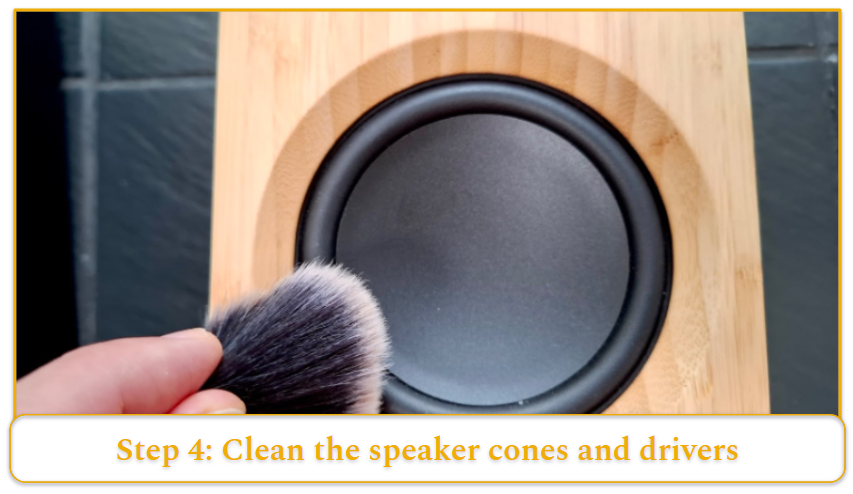
- Do not touch the cones directly, especially tweeters, as they are delicate.
- For the tweeters, gently blow on them. Any dust that cannot be removed with a gentle blow should be left where it is. Avoid compressed air, as it can damage your delicate tweeters if not held at the proper distance.
- For woofer cones, a soft-bristled brush can gently remove dust.
- Avoid using liquids on the cones to prevent damage.
Step 5: Clean the Terminals and Connectors
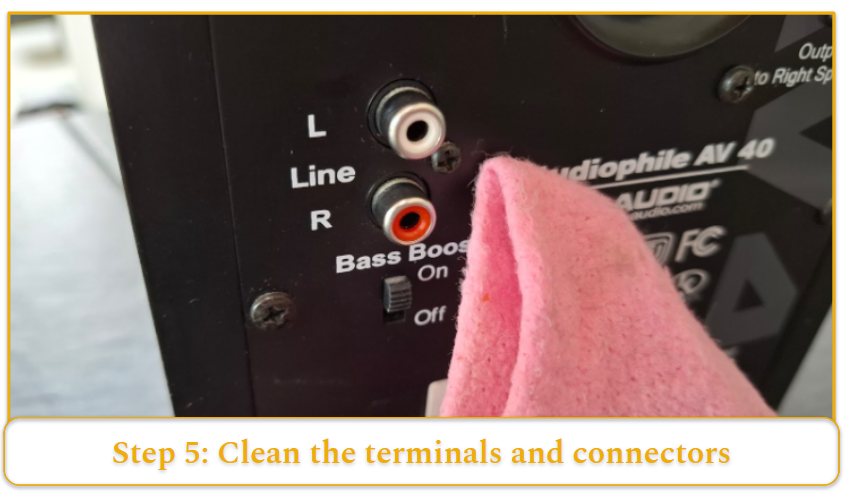
- Use a dry microfiber cloth or cotton swab to clean terminals.
- If there’s oxidation, lightly dampen a cotton swab with isopropyl alcohol and gently clean the contacts.
- Ensure all components are completely dry before reconnecting.
Cleaning Tips Based on Speaker Type
Bluetooth & Portable Speakers
To clean Bluetooth and portable speakers, gently wipe the exterior with a lightly dampened microfiber cloth. Be careful not to let any moisture seep into sensitive areas like charging ports or speaker grills.
You can use compressed air to blow dust out of small crevices and ports, but avoid directing it toward the drivers or tweeters, as these parts are especially delicate.
Car Speakers
For car speakers, a soft brush is your best tool for removing surface dust from the grills without scratching. If your system requires more intensive cleaning or disassembly, it’s wise to consult a professional to avoid damaging internal components that are integrated with your vehicle’s electronics.
Hi-fi Speakers and Monitors
High-fidelity speakers and studio monitors should be cleaned with a clean, dry microfiber cloth to avoid scratching their often premium finishes.
For stubborn fingerprints or smudges, slightly dampen the cloth with distilled water before gently wiping the surface.
Avoid using commercial waxes or polishes, as these can leave a residue that dulls the finish or interferes with acoustics.
Caution: Avoid Damaging Your Speakers
- Don’t press on cones or tweeters. Never apply pressure to speaker cones or domes. If you need to remove dust, use a soft-bristled brush instead of your fingers.
- Clean gently. Avoid scrubbing or using abrasive pads. The lightest touch is always safest.
- Skip strong cleaners. Do not use ammonia-based cleaners or solvents. Most surfaces only need a dry or lightly damp microfiber cloth. For stubborn grime, use a small amount of mild detergent on the cabinet only.
- Keep moisture away from internals. Never spray liquid directly onto a speaker. If using water, lightly dampen the cloth and avoid excess moisture near drivers, ports, or terminals.
Speaker Maintenance and Care Tips
- Dust frequently. Regular light cleaning prevents buildup that can affect airflow and clarity.
- Avoid direct sunlight and heat. Prolonged exposure can fade finishes, warp cabinets, and degrade foam surrounds.
- Cover speakers when not in use. Dust covers help protect against pet hair, debris, and accidental spills.
- Inspect cables and inputs periodically. Look for frayed wires or oxidation to maintain optimal signal flow.
- Use a soft makeup brush for delicate areas. Ideal for cleaning around drivers and grille edges without damage.
- Use a lint roller on fabric grilles. Helps remove dust and debris without pulling the material.
- Condition rubber surrounds. A rubber-safe conditioner can help maintain flexibility and prevent cracking over time.
- Avoid over-tightening speaker terminals. Hand-tighten connections firmly but gently to prevent stripping threads.
- Use banana plugs for frequent connections. They reduce wear on terminals from repeated plugging and unplugging.
- Check and clean bass ports regularly. Dust inside ports can affect low-frequency performance.
Speaker Cleaning Schedule
- Weekly: Quick dusting of exterior and grilles.
- Monthly: Clean terminals and inspect ports.
- Every 3–6 months: Deeper cleaning of drivers and hard-to-reach areas.
- Annually: Full inspection and deep clean of all components.

