Summary: From single cameras to full home systems, surveillance camera costs vary widely. Explore price ranges, monthly fees, and total setup costs before you buy.
You’re in the market for a surveillance camera for your home, but you don’t know where to start or how much it’ll cost. Today’s, home security cameras are widely-available and mass-produced, which has significantly lowered the cost of entry. Basic indoor models can cost less than $20, while high-end outdoor cameras with advanced features can reach $400 or more.
The upfront hardware price is only part of the total investment. There’s also the costs of monitoring and video storage, plus potential costs of maintenance, installation, and permits, in some cases. To make budgeting easier, let’s break down the full cost of owning a home security camera, including equipment, subscriptions, and potential add-on expenses. Learn more about surveillance cameras from our guide.
Price Range of Surveillance Cameras

Security cameras themselves typically cost between $20 and $400, depending on the type of camera, build quality, and included features. The biggest price differences come down to whether the camera is designed for indoor or outdoor use, how it’s powered, and what level of video and smart functionality it offers.
Here is a typical price range, based on the type of camera.
The cheapest cameras are indoor and plug-in because they don’t require weather-resistant housing or reinforced components. They’re designed for stable environments with consistent power access.
The most expensive cameras are usually outdoor wireless cameras. These models must withstand rain, dust, heat, and cold, which requires sealed enclosures and more durable materials. Many also include integrated lighting such as spotlights or floodlights, which adds both hardware cost and installation complexity.
Security Camera System vs. Single Camera Costs
While individual cameras can cost as little as $20, many homeowners purchase bundled security systems instead of single devices. These kits typically include two to eight cameras plus a central recorder, such as a DVR (Digital Video Recorder) or NVR (Network Video Recorder), which stores footage locally.
Buying cameras in a bundle often lowers the per-camera cost compared to purchasing units individually. For example, a four-camera system may cost $200 to $600, depending on video quality and storage capacity, while larger eight-camera systems can range from $600 to $1,200 or more. Although the upfront price is higher, bundled systems can offer better long-term value for larger properties that need multiple coverage points.
What Drives Camera Prices Up
Several technical and build factors can increase the cost of a surveillance camera:
- Video resolution. Resolution refers to how detailed the recorded image appears. Standard HD cameras record in 720p or 1080p, which is sufficient for identifying people and general activity. Higher-end models offer 2K or 4K video, which captures finer details like facial features or license plates, but requires more processing power and storage.
- Weatherproofing. Outdoor cameras use weather-resistant housings rated by IP (Ingress Protection) standards. Higher IP ratings indicate better resistance to water and dust, which increases manufacturing costs.
- Field of view. This describes how wide an area the camera can capture. Wider lenses reduce blind spots and may lower the number of cameras needed, but they require more advanced optics and image processing.
- Smart home integration. Compatibility with voice assistants and smart home ecosystems allows you to control cameras through platforms like Alexa or Google Assistant. This requires additional software development and hardware support.
- AI detection features. Artificial intelligence enables cameras to distinguish between people, animals, vehicles, and general motion. This reduces false alerts but increases the device’s processing requirements and price.
Features That Are Now Standard
Many features that once cost extra are now baseline in most modern cameras.
- Infrared night vision for recording in low light
- Two-way audio for speaking through the camera
- Motion alerts via mobile apps
Because these features are widely adopted, you can still find affordable cameras that deliver strong everyday performance. Choosing 1080p or 720p video instead of 4K is one of the easiest ways to lower costs without sacrificing essential functionality.
How Many Cameras Do You Actually Need
The number of cameras you need directly affects your total system cost, so coverage should align with your home’s size and entry points rather than aiming for full-room surveillance.
Placement guidance
- Outdoor cameras should focus on entry points such as front doors, back doors, garages, and driveways.
- Indoor cameras work best in shared spaces like living rooms, kitchens, or main hallways.
- Private areas like bedrooms and bathrooms are typically avoided for privacy reasons. Check out our guide on surveillance cameras and data protection regulations.
Total Cost by Property Type
Total surveillance costs scale with property size and camera count. Apartments and small condos may only require one to two indoor cameras, bringing total equipment costs to roughly $50 to $300.
Mid-size homes with both indoor and outdoor coverage typically spend between $300 and $800, depending on camera quality and storage plans. Larger homes requiring five or more cameras, especially when paired with professional monitoring, can see total system costs exceed $1,000 when equipment and subscriptions are combined.
Installation Costs
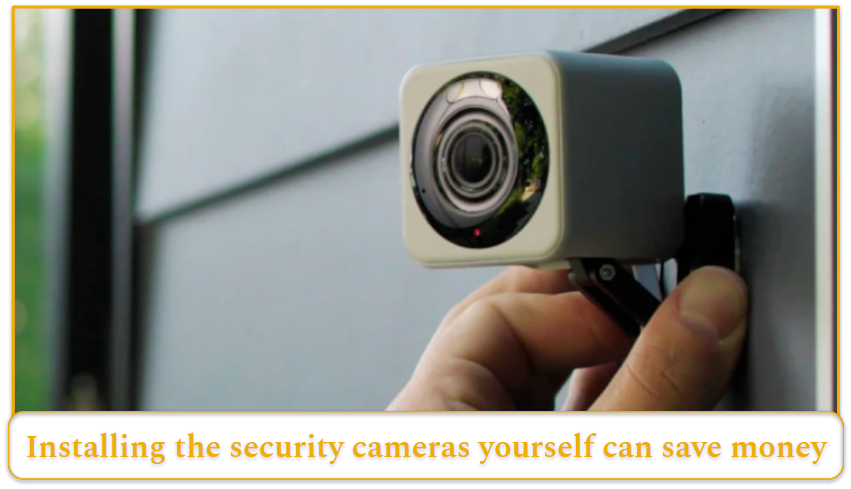
Installation costs can range from free for DIY installation to around $100 or more for professional installation. The final price depends on how complex the system is and how many cameras you’re installing.
Most home security cameras are designed for straightforward self-installation. Plug-in models usually require mounting the device, connecting it to power, and syncing it through a mobile app. Manufacturers typically include mounting hardware and step-by-step instructions, making DIY installation realistic for most homeowners. If you’re planning a self-setup, this how to install surveillance cameras resource can help clarify tools and placement best practices.
Professional installation becomes more relevant when the setup is more complex. For example, installing multiple outdoor cameras, running wiring through walls, or optimizing placement for full-property coverage can require technical expertise. Some security companies charge installation fees per camera, while others offer flat-rate packages, which can be more cost-effective for larger systems.
Maintenance Costs
Ongoing maintenance costs for security cameras are relatively low. Most systems are built for continuous operation with minimal upkeep.
Wireless cameras operate on rechargeable or replaceable batteries, so they don’t draw household electricity in the same way as wired devices. Plug-in cameras remain powered at all times, but their energy usage is modest. In most homes, the impact on electricity bills is minimal, often estimated at around $5 to $10 per month, depending on the number of cameras and local utility rates.
Maintenance tasks are generally limited to routine upkeep, such as recharging batteries in wireless units, installing firmware updates, and occasionally cleaning camera lenses to maintain clear video quality. Compared to other home security equipment, these costs are minor.
Monitoring Costs
Monitoring refers to how alerts are handled and who responds when activity is detected. With self-monitoring, motion alerts are sent directly to your smartphone through the camera’s app, allowing you to review footage and decide how to respond. This option is often free and is sufficient for many households.
Professional monitoring involves a third-party security team that monitors alerts 24/7. If suspicious activity occurs, agents can contact you and, when necessary, coordinate with emergency services. This service is typically bundled with cloud video storage, though pricing structures vary by provider.
Monthly monitoring and storage plans generally range from $3 to $25 or more. Pricing depends on factors such as the number of cameras covered, how long footage is stored, and whether advanced AI detection or emergency dispatch services are included.
Cloud Storage vs. Local Storage Costs
Video storage is one of the most overlooked cost factors when buying surveillance cameras. Many modern systems store footage in the cloud, which allows you to access recordings remotely through a mobile app. Cloud storage typically requires a monthly subscription, with pricing based on the number of cameras and how long footage is saved.
Local storage, by contrast, records video onto physical devices such as SD cards, DVRs, or NVRs. While this option avoids monthly fees, it may require higher upfront hardware costs and offers less flexibility for remote access or backup protection. If you’re choosing between the two, you should weigh long-term subscription costs against one-time equipment investments.
Find out more about which micro sd card to use with surveillance cameras when setting up local recording.
Subscription vs. No-Subscription Cameras
Some surveillance cameras function without monthly fees, but feature access can vary significantly. No-subscription cameras usually provide live viewing, motion alerts, and limited local storage at no ongoing cost.
Subscription plans often unlock additional capabilities such as extended cloud storage, AI detection, advanced alerts, and professional monitoring integration. While avoiding monthly fees can lower long-term costs, you should consider whether restricted features will impact security coverage or usability.
Potential Hidden Costs
Most people pay only for the cameras themselves plus any monitoring or storage subscriptions they choose. However, a few additional expenses can arise depending on the installation environment.
Some homeowners may need extra cables, mounting accessories, or Wi-Fi extenders to ensure stable connectivity across the property. In certain municipalities, permits may also be required for outdoor surveillance systems, particularly if cameras face public areas. Requirements vary by location, so checking local regulations can help avoid unexpected compliance issues.
In the majority of residential setups, however, total costs remain limited to hardware and optional service plans.
What Affects the Cost of Surveillance Cameras?
Many factors influence the cost of surveillance cameras, from hardware build quality to software intelligence. Understanding these tradeoffs, including the pros and cons of surveillance cameras, can help buyers avoid overspending.
- Video quality: Resolution determines how detailed your footage appears. Cameras with 720p or 1080p HD video are typically clear enough for everyday monitoring, while 2K and 4K cameras capture finer details like faces or license plates. Higher resolution requires better sensors and processing, which increases cost.
- Durability and weather resistance: Outdoor cameras are built to withstand rain, dust, humidity, and temperature changes. Models with stronger weatherproof ratings use sealed housings and rugged materials, making them more expensive than indoor-only cameras.
- Audio capability: Two-way audio includes both a microphone and speaker, allowing you to hear activity and speak through the camera in real time. Cameras with limited or no audio functionality may cost less, though most modern models include this feature as standard.
- Night vision technology: Night vision enables recording in low-light or dark conditions. Infrared night vision captures black-and-white footage using IR LEDs, while color night vision uses spotlights or advanced sensors for full-color video. More advanced night recording typically raises the price.
- Voice assistants and smart home integration: Cameras that integrate with voice assistants like Siri, Alexa, and Google Assistant allow hands-free control and smart home automation. This added connectivity requires compatible software and hardware, which can increase device cost.
- Artificial intelligence detection: AI detection allows cameras to distinguish between people, animals, vehicles, and general motion. This reduces false alerts and improves notification accuracy, but requires more advanced processing, which raises both hardware and subscription pricing.
- Wired vs. wireless design: Wireless cameras run on batteries, which adds convenience but increases device cost. Wired cameras draw constant power and may cost less upfront, though installation can be more complex and long-term electricity use slightly higher.
Which Surveillance Camera Features Are Worth the Cost?
Once you’ve set your budget, the next step is deciding which features are worth paying for and which you can skip. While modern surveillance cameras offer a wide range of upgrades, many aren’t necessary for the average household and can raise your total system cost without adding meaningful value.
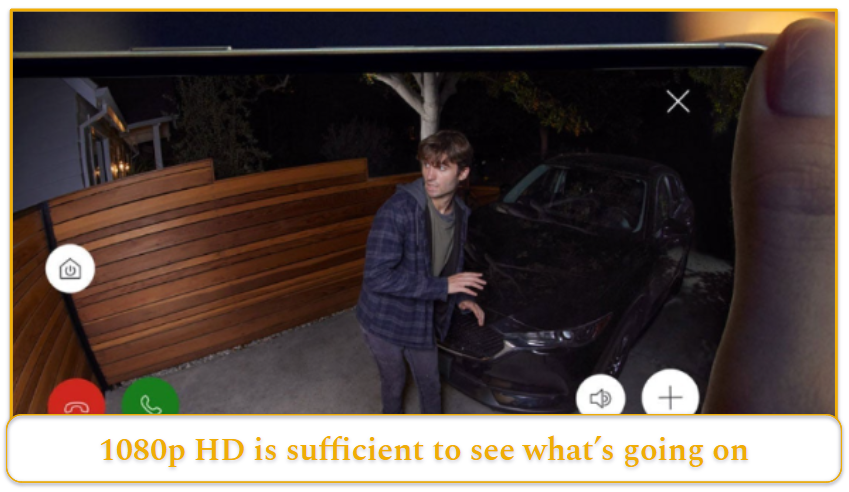
Video resolution is one of the biggest price drivers. Although 4K cameras deliver the sharpest detail, 1080p HD is typically clear enough to identify people and monitor activity around your home. Choosing HD instead of 4K can lower both upfront camera costs and ongoing storage expenses, since higher-resolution footage requires more data space.
Night vision and audio are features most homeowners should prioritize. Infrared night vision allows cameras to record clearly in complete darkness without using visible light, making it practical and cost-effective for nighttime security. Two-way audio (now standard on many mid-range models) lets you hear activity and speak through the camera in real time without significantly increasing price.
Smart home integration is more situational. If you already have a smart home with Internet of Things (IoT) products like smart lights, locks, or garage door controllers, you’ll want to find a camera that integrates with your existing ecosystem. If not, this is a premium feature you can skip to keep costs down.
Finally, artificial intelligence features such as person detection often justify their added cost. By distinguishing between people and general motion, these systems reduce false alerts and make self-monitoring easier. In some cases, more accurate notifications can even lessen the need for paid professional monitoring services.