Summary: Concerned about surveillance camera security? Find out how hacking happens and the best ways to safeguard your footage with encryption, strong passwords, and smart setup practices.
Internet-connected surveillance cameras are convenient. They let you monitor your home remotely, view live footage, and receive alerts as long as you have a stable internet connection.
The trade-off is security. Because Wi-Fi-enabled cameras connect to the internet, they can be vulnerable to hacking if they’re not properly secured. Even well-known brands have faced breaches, often due to weak passwords or unsecured home networks rather than flaws in the cameras themselves.
The good news is that a few simple precautions can significantly reduce the risk. This guide outlines practical steps, from strengthening passwords to securing your network, to help you protect your camera data while still benefiting from remote access. If you’re still comparing models, you can also check out our surveillance camera guide for a broader breakdown of features and system types.
How Surveillance Cameras Get Hacked
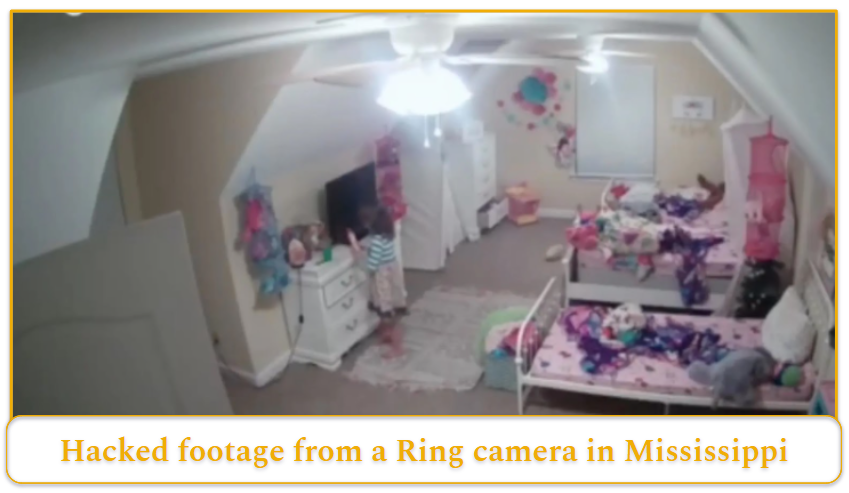
Surveillance cameras can be compromised in a few different ways, though some risks are far more common than others. Understanding how these attacks happen helps you focus on the protections that matter most – especially when weighing the pros and cons of surveillance cameras before installation.
The most common risks include:
- Stolen login credentials. Hackers may obtain your password (often because it’s weak or reused from another account) and log in through your camera’s mobile app or web portal to view live footage. Passwords are most commonly exposed through data breaches on other websites, phishing emails, or simple brute-force attacks on weak credentials.
- Insider access through monitoring services. If you use professional monitoring, certain employees at the security provider may have technical access to customer feeds. Reputable companies enforce strict access controls, logging, and oversight, but insider risk is a factor buyers should be aware of.
- Advanced signal interception techniques. Researchers at Northeastern University demonstrated a method called Electromagnetic Eye (EMEye), which captures electromagnetic signals emitted by camera wiring to reconstruct video footage, even through walls. This type of attack requires specialized equipment and engineering expertise, making it far less likely than password-based breaches.
For most homeowners, password security remains the more realistic vulnerability to address.
How To Protect Your Surveillance Camera Data
While you can’t eliminate every risk, especially insider threats or physical privacy concerns within your household, strong cybersecurity practices can make external hacking significantly less likely. Here’s what to prioritize:
Choose a Camera With Encryption
The best protection starts before you choose a camera. Look for a camera that encrypts your livestream footage, stored recordings, and your account information. Encryption scrambles footage as it moves between your camera, cloud servers, and mobile app, ensuring only authorized users can access it. Without encryption, transmitted data could potentially be intercepted.
Ideally, the camera should support encryption in transit (while footage is being transmitted) and at rest (while recordings are stored). If you access footage through a browser, check that the URL begins with “https.” The “s” indicates encrypted data transmission, while “http” does not provide that protection.
If you’re planning to record locally instead of in the cloud, you may also want to find out which micro SD card to use with surveillance cameras to ensure compatibility and reliable storage.
Create a Strong Password
Your router and camera account passwords form a primary line of defense. Use passwords that are long, unique, and complex, combining letters, numbers, and symbols. Avoid reusing credentials from other accounts, as data breaches on unrelated websites are a common way attackers gain access to security devices.
A password manager can help generate and securely store strong passwords, reducing the temptation to reuse simpler ones.
Turn On Advanced Authentication
Two-factor authentication (2FA) or multi-factor authentication (MFA) adds a second identity check beyond your password.
With 2FA, you’ll enter a one-time passcode sent to your phone or email. MFA may also include biometric verification, such as fingerprint or facial recognition. While this adds an extra step at login, it significantly reduces the likelihood of unauthorized access – even if your password is compromised.
Perform Software Updates
Firmware and app updates often patch security vulnerabilities and fix bugs that could otherwise be exploited. This includes updates for the camera itself, its mobile app, and sometimes your router. Delaying updates can leave known weaknesses exposed, so enable automatic updates when available or install them promptly.
If you’re installing a new system, you can also learn about how to install surveillance cameras correctly to avoid configuration mistakes that weaken security.
Turn On Your Firewall
If your camera or router has a firewall option, make sure it’s enabled. Firewalls are essentially guards for your network, monitoring incoming and outgoing traffic and blocking suspicious connection attempts. This helps prevent unauthorized access and protects connected devices from malware.
Most modern routers have a firewall enabled by default, but it’s worth confirming in your router settings that it hasn’t been disabled.
Surveillance Camera Usage Principles
Hackers aren’t the only privacy concern when it comes to surveillance cameras. Placement and usage decisions can also affect the privacy of people inside your home, as well as neighbors and visitors outside it. Responsible setup isn’t just about security; it’s about balancing protection with reasonable privacy expectations.
Additionally, if you’re using outdoor cameras, you want to make sure you’re not capturing footage in ways that could be considered intrusive or unlawful. Camera and audio recording laws vary by state, but the following best practices apply broadly across the U.S.
Don’t Place Cameras in Bedrooms or Bathrooms
Certain areas of the home carry a clear expectation of privacy. Bedrooms, bathrooms, and guest sleeping areas should never be monitored, even inside your own property. Indoor cameras are best placed in shared spaces such as:
- Main hallways
- Living rooms
- Entryways
- Kitchens (in some cases)
Positioning cameras in common areas allows you to monitor movement and security risks without recording people in vulnerable or private situations.
Check Your State’s Recording Laws
Surveillance laws differ by state, particularly when audio recording is involved. While some states allow the recording of someone without their knowledge, called one-party consent, other states require all parties to consent, which can affect whether you can legally enable audio recording on your cameras.
States may also regulate camera placement and footage use. Reviewing local laws before installation helps ensure your system is compliant, especially if cameras record sound as well as video.
Avoid Capturing Your Neighbors’ Property
When installing outdoor cameras, aim them to focus primarily on your own property. Pointing cameras directly at a neighbor’s windows, doors, or private yard can create legal and ethical concerns. While some incidental capture is unavoidable, particularly with doorbell cameras or wide-angle lenses, intentional surveillance of neighboring private spaces should always be avoided.
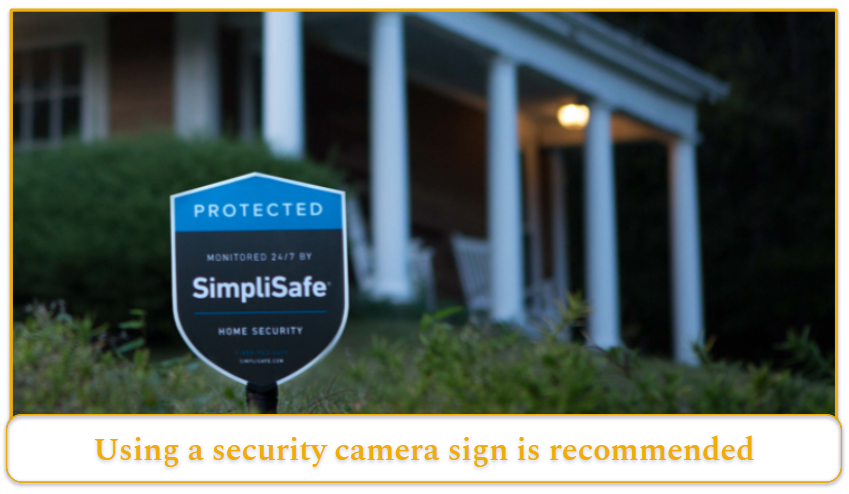
Use Security Signage Thoughtfully
You’re not always required to post a sign saying your property is under surveillance, but it can be a smart move. A visible camera notice can discourage opportunistic crimes like package theft or trespassing simply by making it clear that activity is being recorded.
It also sets expectations. Guests, contractors, and delivery drivers know they may be on camera, which helps avoid misunderstandings later. Even when it’s optional, adding signage shows you’re using surveillance responsibly rather than secretly monitoring people.
Footage May Be Requested
It’s easy to think of your camera footage as private, but that’s not always the case. If a crime happens nearby, law enforcement may ask for access to your recordings, and in some situations, you may be legally required to provide them.
With that in mind, it’s worth thinking carefully about what your cameras capture. Installing them only in areas you’d feel comfortable sharing if necessary helps prevent awkward or sensitive situations later. Thoughtful placement protects both your security and your peace of mind.