
































Summary: Surveillance camera systems vary widely in video quality, storage methods, installation complexity, and ongoing cost. Understanding these differences helps narrow down the right setup for your property and security goals.
Five years ago, I started with a basic doorbell camera like millions of other homeowners. What began as a simple way to monitor package deliveries evolved into a full property surveillance project, and eventually into a much deeper look at what home cameras can and can’t do in real-world conditions.
As an engineer, I approached security the same way I approach any system: test it. I measured camera angles, checked how far night vision stayed usable, and tracked how much bandwidth multiple cameras actually consumed. I learned that convenience-focused systems are easy to install, but they can fall short on reliability, customization, and long-term cost, especially when internet drops or subscriptions become required for basic features.
That’s why this guide focuses on matching a surveillance setup to your priorities. There isn’t one “best” system for every home. The right choice depends on your property layout, the risks you’re trying to reduce, your comfort with setup and maintenance, and how you want the system to work five years from now.
Choosing Cameras Based on Where You’ll Use Them
Before comparing resolution, night vision range, or smart detection features, it helps to define what you actually want your cameras to capture.
Not every installation has the same objective. Some homeowners want general awareness – being able to see when someone is on the property. Others want clear identification, such as capturing facial detail or vehicle information. That distinction directly affects the type of camera you should be considering.
Placement plays a major role in determining which features matter most. A camera monitoring your front door, for example, needs higher detail and stronger night performance than one watching a wide backyard fence line. Entry points benefit from tighter viewing angles and higher resolution for identification, while open areas often require broader fields of view to track movement across larger spaces.
Indoor and outdoor environments also shape camera requirements. Outdoor cameras must handle weather exposure, longer viewing distances, and low-light performance. Indoor cameras, by contrast, can prioritize facial clarity, audio capture, and situational awareness within smaller spaces.
Aligning camera features to where they’ll actually be used helps narrow your choices quickly and prevents overspending on specifications that won’t materially improve your coverage.
Key Coverage Considerations
- Entry points vs. open areas: Doors and driveways typically require greater detail for identification, while wider areas benefit more from broader coverage.
- Indoor vs. outdoor use: Outdoor cameras need weather resistance and stronger night vision, whereas indoor models can focus more on resolution and audio.
- Identification vs. awareness: If your goal is evidence capture, resolution matters more. If it’s general monitoring, coverage range becomes the priority.
- Live monitoring vs. alert-based monitoring: Active monitoring favors wider visibility, while motion-alert systems depend more on detection accuracy and image clarity.
The Most Important Technical Specifications
Once you know what you want out of a surveillance camera system, you can use that to determine which specifications and features you need the most. On paper, many cameras look similar. In practice, differences in resolution, night performance, durability, and detection accuracy determine whether footage is simply watchable or actually useful.
Video Resolution: How Much Detail You Actually Need
I used to think 1080p was plenty until I tried identifying an unknown person at my front door from my doorbell camera footage. What looked sharp during live viewing turned into a blurry mess when I zoomed in. Beyond roughly 20-25 feet, facial detail degraded to the point where identification wasn’t realistic.
That’s where higher resolution starts to matter. Nowadays, 4K cameras don’t cost much more than 1080p models, so they’re now worth the few dollars extra. If a camera might ever need to capture usable proof (faces, clothing details, vehicle markings), the extra clarity is worth the upgrade.
1080p still has a place. It works fine if you’re just checking whether someone’s home, tracking pets, or general awareness. But any camera that might record actual crime needs 4K to capture details that matter. The trade-off is storage. Higher resolution footage takes up substantially more storage space, which affects retention time unless you plan for expanded storage capacity.
Night Vision Performance
Night vision specifications are one of the most misunderstood camera features. Manufacturers often advertise detection distance rather than identification distance. A camera rated for 30 feet of night vision may only deliver recognizable facial detail at 15–20 feet in real-world conditions.
I learned this when reviewing footage of someone moving past my garage at 2 AM. I could see motion, but couldn’t identify enough detail to see who it was.
Environmental conditions play a major role in night vision performance as well. Any moisture in the air, including seasonal humidity, can scatter infrared light and blur your image quality. Street lighting can help in some zones while creating heavy shadow areas in others.
If you’re monitoring large areas like long driveways or big backyards, spend the extra money for cameras rated at 100+ feet of night vision. The difference between 30-foot and 100-foot capability often determines whether you can actually see what’s happening at your property boundaries, where trouble usually starts.
Weather Resistance and Durability
Weather ratings directly affect how long outdoor cameras last. IP65-rated cameras provide protection against dust and water jets, which is adequate for most covered installations. IP67-rated units offer stronger sealing, including protection against temporary submersion. In practice, the difference becomes visible over time. Cameras with higher weather ratings tend to resist moisture intrusion and internal corrosion far better in exposed environments.
Temperature swings affect also longevity. Camera components degrade faster in extreme heat or cold cycles. When planning camera locations, consider not just the weather but also heat radiation from nearby surfaces, morning frost patterns, and sun exposure throughout the day. Cameras installed under eaves under eaves or soffits often last significantly longer than those mounted in direct exposure to the elements.
Field of View and Coverage
Field of view determines how much area a single camera can monitor, but wider isn’t always better. A 90-degree camera positioned 20 feet from a target area covers roughly 35 feet of width, while a 130-degree camera at the same distance covers about 50 feet. The trade-off is pixel density; as coverage widens, detail per subject decreases.
When I mapped my own property, I found that three strategically placed 110-degree cameras delivered better coverage than four 90-degree cameras. Overlap between cameras proved more valuable than maximum width from a single angle. Corner installations typically deliver the best coverage efficiency, but they also introduce mounting challenges and added exposure to weather.
Motion Detection and AI Recognition
Basic motion detection is notoriously noisy. Early on, my cameras triggered alerts for everything – swaying branches, passing cars, even neighborhood cats. It didn’t take long before the notifications became easy to ignore. Modern AI detection systems significantly improve this experience by distinguishing between people, vehicles, and animals. This reduces false alerts dramatically while ensuring meaningful activity still triggers notifications.
Some smart AI features are more situational. Package detection works well for front door cameras but delivers little value for perimeter monitoring. Facial recognition requires good lighting and proper camera angles to function reliably. Behavior analytics – such as loitering detection – are promising, but still inconsistent in residential environments.
Audio Recording and Two-Way Communication
Audio capabilities often get overlooked when comparing surveillance cameras, but they can capture context that video alone often misses. They also allow you to interact with visitors – or potential intruders – in real time rather than just recording activity after the fact.
Audio Recording Quality
Sound adds another layer of detail to your footage. Conversations, breaking glass, car doors slamming, or footsteps can deliver information that helps clarify what you’re seeing on video.
Outdoor microphone performance varies wildly between camera models. In my experience, doorbell cameras pick up clear audio within 15–20 feet but struggle with wind noise during storms. Indoor cameras generally deliver much better audio quality than outdoor cameras since they’re not competing with weather interference. Audio also becomes more valuable when integrated with alerts, particularly when systems can distinguish between routine household sounds and unusual noises tied to potential security events.
Two-Way Audio Communication
Two-way audio allows you to speak through your camera in real time using the mobile app, while also hearing the person on the other end through the camera’s built-in microphone and speaker.
This feature transforms cameras from passive monitoring devices into active security tools. I’ve used it to redirect delivery drivers, deter suspicious activity near my front door, and communicate with family members while traveling. That deterrence factor alone makes it especially useful for entry-focused cameras like doorbells.
Audio quality matters more than most buyers expect. Basic speaker systems often sound like buzzer intercoms, making communication difficult in noisy environments. Cameras with noise cancellation and higher-quality speaker drivers deliver far more usable conversations. Wind, traffic, and other background noise can still interfere outdoors, and there’s usually a slight delay when speaking through internet-connected cameras, though it rarely affects normal interactions.
Power and Installation Options
Power and installation have long-term implications for reliability, maintenance, and recording consistency. Many of the frustrations homeowners experience with surveillance systems trace back to these early infrastructure decisions.
Power Source Selection
Battery-powered cameras promise easy installation, but that convenience comes with ongoing maintenance. In practice, battery life often falls short of marketing claims. Cameras advertised with six-month battery cycles may require charging every two to three months under normal use. Cold weather reduces battery efficiency even further, and high-traffic recording zones accelerate drain rates. I found myself climbing ladders regularly during winter just to keep my cameras operational.
Wired power eliminates maintenance burden and enables continuous recording without interruption. When planning my current system, I designed everything around Power over Ethernet (PoE), which provides both power and data through a single cable.
Solar charging works well for extending battery life in moderate climates, but it can’t sustain continuous recording in cloudy conditions or during short winter days. If your camera’s battery dies, recording stops entirely. For permanent installations, wired power (POE or direct power) is my strong recommendation.
Installation Types and Methods
- WiFi Wireless Cameras. Wireless cameras are the easiest to install since they don’t require running cables. However, they rely entirely on network stability. Signal drops, router congestion, or internet outages can interrupt recording – something I experienced firsthand during a summer storm when several cameras went offline at once.
- Wired Ethernet (PoE) Cameras. Power over Ethernet delivers both power and data through a single cable, creating one of the most reliable installation methods available. It requires more upfront labor, but it eliminates signal interference, bandwidth congestion, and battery maintenance.
- Hardwired Power + WiFi Data. Some cameras use direct electrical wiring for power while still transmitting footage over WiFi. This removes battery concerns but still leaves you dependent on network strength for connectivity and recording reliability.
- Battery-Powered Cameras. Battery cameras are the simplest to deploy, especially for renters or temporary installations. The trade-off is ongoing maintenance – frequent charging, performance drops in cold weather, and potential recording gaps if batteries die.
- Solar-Assisted Cameras. Solar panels can extend battery life and reduce charging frequency, particularly in sunny climates. However, they rarely support continuous recording and become less reliable during cloudy seasons or winter months.
If you’re building or renovating, pre-wiring camera locations is one of the most valuable infrastructure upgrades you can make. Installation complexity varies significantly between wireless and wired systems. For a step-by-step breakdown of mounting, wiring, and setup considerations, see how to install surveillance cameras.
Storage Solutions and Data Management
Storage determines what happens to your footage after it’s recorded – how long it’s kept, where it lives, and whether you can access it when you actually need it.
This decision affects far more than retention time. It shapes your system’s reliability during internet outages, your long-term costs, and even your privacy exposure, depending on where footage is stored. Broadly, surveillance storage falls into four categories: on-camera storage, local recorder storage, cloud storage, and hybrid systems that combine multiple layers.
MicroSD and On-Camera Storage
Many single-camera systems record footage directly to a MicroSD card installed inside the camera itself. This is the simplest storage method. There’s no recorder to configure and no subscription required. Footage is stored locally on the device and can be accessed through the app or by removing the card.
The trade-off is capacity and redundancy. Most MicroSD cards range from 32GB to 512GB, which limits how many days of footage you can retain – especially at higher resolutions like 4K. Once the card fills, the system overwrites older recordings.
There’s also no backup protection. If the camera is stolen or damaged, the footage stored on that card is lost with it. For single cameras or low-risk monitoring, this setup can be sufficient. For multi-camera security systems, it’s usually too limited.
Choosing the right card type and endurance rating matters more than capacity alone. This breakdown of which microSD card to use with surveillance cameras explains what to look for.
NVR and Local Recorder Storage
NVR (Network Video Recorder) systems store footage on dedicated hard drives located inside your home or business. Instead of each camera storing its own video, all cameras feed into a central recorder that manages storage, playback, and retention settings. These systems often support multiple hard drives, with capacities ranging from 1TB to 20TB or more.
The biggest advantage is reliability. Recording continues even if your internet goes down because storage happens locally. Many NVRs also support RAID configurations, which create redundancy by duplicating footage across multiple drives. This dramatically reduces the risk of losing recordings due to hardware failure.
The trade-off is setup complexity and upfront cost. Installing an NVR requires networking knowledge, drive management, and physical space for the recorder hardware. But for multi-camera installations, it provides the most control and long-term value.
Cloud Storage
Cloud storage uploads footage to remote servers managed by the camera manufacturer. This allows you to access recordings from anywhere without maintaining local hardware. It also creates off-site backup protection in case your cameras or recorder are stolen. The convenience is why many consumer systems default to cloud storage. Setup is simple, and footage is automatically organized within the mobile app.
However, cloud storage introduces ongoing subscription costs. Fees typically scale based on camera count and retention length. Over time, these subscriptions can exceed the cost of the cameras themselves. Cloud storage also creates internet dependency. If your connection drops, many systems stop recording entirely until connectivity returns.
Finally, privacy is another consideration since your footage resides on third-party servers and data-sharing policies vary by manufacturer. For a deeper breakdown of long-term ownership expenses, including subscription models and hardware pricing, see how much a surveillance camera costs.
Hybrid Storage Systems
Hybrid systems combine local storage with cloud backup. Footage records locally first (ensuring recording continuity during internet outages) while critical clips or backups upload to the cloud for redundancy. This layered approach provides the strongest overall protection:
- Local access without internet
- Off-site backup against theft or fire
- Extended retention options
The trade-off is cost and configuration complexity. You’re effectively maintaining two storage systems instead of one. For homeowners prioritizing both reliability and remote access, hybrid storage often represents the most balanced solution.
Camera Design and Form Factors
Camera design affects far more than appearance. Choosing the right style ensures the camera performs effectively in its intended environment rather than just fitting physically in the space.
Physical Design Styles
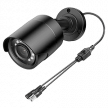
Different camera designs are built for different jobs. Some are meant for long-range outdoor monitoring, while others are designed to be discreet, vandal-resistant, or better suited for indoor use. Understanding how each form factor works helps you choose cameras that fit both your coverage needs and mounting locations.
Specialized Camera Types
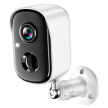
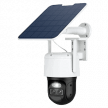
Beyond standard camera designs, some models include built-in lighting, alternative power sources, or advanced movement controls. These specialized cameras are built to solve specific monitoring challenges where traditional cameras may fall short.
PTZ Cameras and Active Monitoring
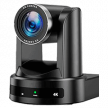
PTZ stands for pan, tilt, and zoom – meaning the camera can rotate horizontally, move vertically, and zoom in on activity remotely. This allows a single camera to monitor a much larger area than a fixed-position unit, making PTZ models useful for expansive yards, open spaces, or situations where you want to actively track movement in real time.
The bigger coverage area is impressive, In the right position, one PTZ camera can replace 3–4 fixed cameras. However, it can only focus on one direction area at a time, which creates potential blind spots when it’s tracking activity elsewhere. Zoom performance varies significantly depending on whether the camera uses optical or digital zoom. Optical zoom maintains image quality across the entire zoom range, while digital zoom simply enlarges pixels – reducing detail once you push past low magnification levels.
Remote monitoring and active tracking capabilities make PTZ cameras valuable for large properties or commercial applications if you want to manually direct camera movement. However, they come with trade-offs. PTZ cameras are significantly more expensive than fixed cameras, require more complex installation, and include moving parts that can wear down over time.
For most homes, multiple fixed cameras deliver more consistent and cost-effective coverage, though PTZ makes sense in specialized scenarios where wide-area monitoring from a single vantage point is necessary.
Smart Home Compatibility and Connected Features
Almost all modern surveillance cameras work with smart home ecosystems, like Amazon Alexa, Google Home, or Apple HomeKit. This allows your cameras to work alongside other connected devices rather than operating as standalone security tools.
In practical terms, smart integration adds convenience more than it adds security. You might receive motion alerts through your smart speakers, view camera feeds on a smart display, or have outdoor lights turn on automatically when movement is detected. These automations don’t replace core surveillance functions, but they can make monitoring your home more seamless day to day.
Where compatibility becomes important is when you already use a specific smart home platform. Not every camera works equally well across all ecosystems, and functionality can vary significantly depending on the manufacturer.
Platform Compatibility
Most smart surveillance cameras can connect to at least one major smart home platform – typically Amazon Alexa, Google Home, or Apple HomeKit. Compatibility determines how your cameras interact with other devices, such as smart displays, speakers, lights, and alarm systems.
For example, Ring cameras integrate well with Alexa but have limited functionality with Google Assistant and have no support for Apple HomeKit. This kind of ecosystem lock-in becomes frustrating if your smart devices come from multiple brands. Some cross-platform integrations exist, but they often rely on third-party services like IFTTT, which can add setup complexity and potential reliability issues.
If smart home coordination is important to you, it’s worth checking compatibility before buying, especially if you want cameras to interact with lighting, alarms, or voice assistants.
Smart Alerts and Automation Tools
Many surveillance cameras include built-in smart features that automate how the system behaves day to day. These tools don’t change video quality, but they can make monitoring more convenient and reduce unnecessary alerts.
- Geofencing. Uses your phone’s location to automatically arm or disarm cameras when household members leave or return. It’s convenient for hands-off security, though location tracking errors mean manual controls are still important.
- Package Detection. Identifies when deliveries are placed at your door and sends specific alerts. This helps separate package notifications from general motion activity.
- Privacy Zones. Allows you to block out areas like neighbor windows or public sidewalks while still monitoring your property. This helps with both legal compliance and limiting unnecessary footage capture.
- Multi-User Access. Controls who can view or manage the system. Household members can have full permissions, while guests or relatives can be limited to live viewing only.
Network Strength and Connection Stability
Your home network plays a major role in how well your cameras perform. Every camera continuously sends video data across your network, and bandwidth demand increases quickly, especially when multiple high-resolution streams run simultaneously.
Newer WiFi 6 routers handle this load far better than older WiFi 5 equipment. With legacy routers, even a few 4K cameras can cause buffering, delayed alerts, or dropped connections during peak internet usage. Placing cameras on a dedicated 5GHz band or using wired Ethernet connections can significantly improve reliability.
Cellular-connected cameras offer an alternative for remote locations where traditional internet isn’t available, though continuous recording can make mobile data costs add up quickly.
Because most cameras connect to the internet, network security also matters. Look for systems that support modern encryption standards like WPA3 and receive regular firmware updates to address vulnerabilities.
Some cameras use edge computing, meaning motion detection and AI recognition are processed directly on the device rather than sent to the cloud. This reduces bandwidth usage, improves response speed, and allows certain smart features to continue functioning even during internet outages.
Common Mistakes I’ve Observed and Learned From
Even well-planned camera systems can underperform if key setup details are overlooked. Many of the most common issues stem from installation decisions rather than camera quality.
- Installing cameras without testing WiFi coverage. Placing cameras without checking signal strength often leads to dead zones, buffering, or dropped connections. What looks like the perfect mounting location may fall outside reliable network range. Testing coverage in advance (or installing an access point) helps ensure consistent recording and alert delivery.
- Mounting cameras too high or too low. Camera height directly affects identification quality. Cameras mounted too high capture the tops of heads rather than faces, while low-mounted units are easier to vandalize or obstruct. Mid-height placement typically provides the best balance between visibility and protection.
- Underestimating subscription costs. Cloud storage plans often scale with camera count and retention length. What starts as a low monthly fee can increase quickly as systems expand. Factoring long-term subscription costs into your budget prevents surprises later.
- Overlooking recording and privacy laws. Surveillance regulations vary by region, especially regarding audio recording. Pointing cameras toward neighbor windows or public areas can create legal or privacy concerns even when video recording itself is permitted. Reviewing local guidelines before installation helps avoid compliance issues.
Monitoring and Security Certification
Monitoring services vary dramatically in response quality and cybersecurity standards across manufacturers. Some systems integrate with various monitoring companies that can dispatch emergency response protocols when alerts are triggered. Others rely primarily on self-monitoring through mobile notifications, where homeowners review activity and respond independently.
Cybersecurity certifications are also worth evaluating. Look for cameras that support modern encryption protocols (like AES-256), receive regular firmware updates, and maintain established vulnerability response practices. These safeguards help protect your cameras – and your broader home network – from unauthorized access.
Higher-end systems may carry certifications like UL 2900, which assess cybersecurity resilience and device-level protection standards. While not universal, these certifications signal stronger protection against intrusion and data compromise.
Leading Surveillance Camera Brands
Surveillance camera manufacturers typically target different types of users, from plug-and-play homeowners to advanced users who want full system control. Understanding how each brand approaches storage, privacy, installation, and scalability helps narrow down which platform fits your long-term needs.
Ring
Ring is built around ease of use. It has unmatched consumer convenience with plug-and-play installation, an intuitive mobile app, and devices like doorbells, cameras, and alarms that operate within a single unified interface. For homeowners who want a system running quickly without technical setup, Ring remains one of the most beginner-friendly options available.
The trade-off is cloud dependence. Features like video history, AI detection, and extended storage require a subscription. As more cameras are added, these recurring costs can increase significantly over time.
Ring also offers limited local storage, which means recording typically stops during internet outages. While the system performs well for general home monitoring, advanced users may find customization and data control more limited.
Ubiquiti UniFi Protect
UniFi Protect delivers enterprise-grade features with local storage handled through dedicated recorders and AI detection that can be processed directly on the device rather than in the cloud. You also get complete control over your data without subscription requirements. The build quality and scalability are also major strengths. UniFi systems can support anything from small home installations to large commercial deployments.
The trade-off is complexity. Setup involves familiarity with IP addressing and network management. However, the long-term value proposition makes sense for users who want capabilities without ongoing subscription fees and complete control over their recordings.
Arlo, Nest, and Reolink
Arlo is known for flexible wireless deployment and strong battery performance. Its solar panel accessories can keep cameras running indefinitely in good sun conditions. In testing at locations where running power cables wasn’t practical, solar setups worked well during summer months but struggled during cloudy winter weeks.
Nest cameras integrate smoothly with Google Home environments and deliver decent AI detection. However, you’re locked into Google’s ecosystem and subscription pricing model.
Based on user feedback and technical reviews, Arlo excels at temporary installations but struggles with dependability in permanent setups. Reolink focuses on affordability and local storage support. It’s a practical option for homeowners who want surveillance without recurring fees, though advanced AI features and build quality typically trail premium systems. Compared to higher-end platforms, these brands offer less control over local data handling and privacy configuration.
Brand Comparison Overview
Surveillance Camera Pricing and Long-Term Costs
Surveillance camera pricing can vary more than most buyers expect, largely because you’re not just paying for cameras – you’re paying for the entire system behind them.
A single indoor camera might cost less than $100, while a fully wired multi-camera installation with local storage can reach several thousand dollars. The gap comes down to build quality, storage architecture, and how much infrastructure the system requires to operate reliably.
Understanding those cost layers upfront makes budgeting far more realistic.
Hardware Pricing in Context
At the entry level, indoor cameras and doorbell units are relatively inexpensive. These models focus on convenience, app integration, and basic monitoring rather than long-range identification or extreme durability.
As you move outdoors, pricing rises quickly. Weather sealing, stronger night vision, higher resolution sensors, and vandal-resistant housings all add cost. Mid-range outdoor cameras often land in the $150–$300 range, while premium wired cameras designed for PoE or recorder-based systems can exceed $400 per unit.
If your system uses a local recorder, that adds another upfront expense. Network Video Recorders vary widely in price depending on storage capacity and redundancy features, but they’re a core investment for larger wired installations.
The Hidden Cost: Subscriptions
Cloud storage introduces recurring costs that scale over time. Most consumer systems charge monthly or annual fees based on:
- Number of cameras
- Video retention length
- AI detection features
Entry plans may start around $3–$5 per month for a single camera, but multi-camera households often pay $10–$30+ monthly for extended storage and smart alerts.
Over time, these fees compound. In some cases, long-term subscription spend surpasses the original hardware investment, especially in cloud-only systems where recording depends entirely on paid storage tiers.
Installation and Infrastructure
Installation costs vary depending on how permanent your system is. Wireless cameras are relatively inexpensive to deploy. Mounting hardware and basic setup are usually manageable without professional help.
Wired systems, on the other hand, require more planning. Running Ethernet lines, installing PoE switches, and mounting exterior cameras professionally can add meaningful labor costs, particularly in finished homes where walls and ceilings must be opened. This is why pre-wiring during construction or renovation is often considered one of the most valuable surveillance upgrades a homeowner can make.
Total Cost of Ownership
The most important pricing factor isn’t upfront cost — it’s long-term ownership.
Cloud-dependent systems often cost less initially but accumulate ongoing fees. Local storage systems require higher upfront investment but eliminate monthly expenses.
Over a five-year period, these models can invert:
- Lower upfront + subscriptions → higher lifetime cost
- Higher upfront + local storage → lower lifetime cost
Budgeting for surveillance works best when you evaluate total ownership cost, not just the price tag on the box. A more detailed cost breakdown, including equipment, storage, and monitoring, can be found in our guide on how much a surveillance camera costs.
Which Surveillance Cameras Are Right For You?
To determine which surveillance camera is best for you, you should start with your living situation and work backward from there.
- If you live in an apartment or rent, you can’t run cables or mount permanent fixtures. In these cases, wireless battery cameras or simple doorbell units offer the simplest installation and removal without property modifications.
- If you own a home or have a large property, you would benefit from wired systems. Ethernet or PoE installations eliminate WiFi range concerns and bandwidth limitations, improve reliability, and support continuous recording without battery maintenance.
Your technical comfort level matters more than salespeople admit. Plug-and-play systems like Ring and Nest are designed to work quickly out of the box with minimal setup. More advanced platforms, such as UniFi Protect, offer deeper customization and long-term value but require familiarity with networking and system configuration.
When you budget for a system, factor in five-year costs, not just the upfront pricing. Subscription storage, AI detection features, and retention upgrades can significantly increase long-term ownership expenses. Systems with local storage may cost more initially, but eliminate recurring monthly fees. Choose cameras that can grow with your needs (rather than one you’ll outgrow) to avoid costly replacements as your security requirements expand.