

































Summary: Wireless security cameras offer flexible installation and fast setup, but performance depends heavily on Wi-Fi strength, power management, and storage configuration. Understanding these factors helps you avoid coverage gaps, poor video quality, and unexpected long-term costs.
After three years of running Ring cameras around my property and planning a future UniFi system upgrade, I’ve learned that wireless security cameras solve a very specific set of problems. They make installation dramatically easier, allow flexible placement, and provide fast, accessible security coverage without construction work. But they also introduce trade-offs that many buyers don’t fully understand until after installation.
I chose wireless for my initial setup because I could install cameras exactly where I needed them without running cables through finished walls. That flexibility let me position cameras exactly where coverage mattered most. Over time, though, real-world performance taught me where wireless systems shine (and where they struggle). Battery performance fluctuated more than expected, Wi-Fi congestion impacted video quality, and solar charging proved far less reliable than marketing claims suggested.
This guide focuses specifically on wireless camera considerations that most general buying advice overlooks: how WiFi congestion affects your video quality, why battery performance varies wildly from manufacturer claims, and how to plan a system that actually works reliably.
For broader security camera fundamentals like resolution standards and manufacturer comparisons, see our main guide.
Video Quality and Resolution: What Actually Matters for Identification
Resolution is often the first specification buyers compare, but in wireless systems, it carries more practical implications than simply “higher is better.”
Resolution refers to how many pixels a camera records per frame. More pixels can capture finer detail, but they also require more bandwidth to transmit and more power to process. In wireless cameras (where video must travel over Wi-Fi and run on battery power), resolution directly affects reliability, storage, and maintenance.
4K vs 1080p in Real-World Use
My current cameras record in 1080p. In practical terms, that lets me identify faces at about 15 feet and read license plates at 25 feet in good lighting conditions. 4K sounds like a major upgrade, but the real-world trade-offs are significant. Higher resolution triples your bandwidth requirements and accelerates battery drain because the camera must process and transmit far more data.
I’ve used 4K battery cameras that barely lasted two months compared to roughly six months from my 1080p units. Unless you’re covering a large area where you need to digitally zoom into distant activity, 1080p usually delivers the detail you need while maintaining network stability. Higher resolution only helps if your network and power setup can sustain it.
Night Vision Quality and Infrared LED Performance
Night vision works by using infrared LEDs to illuminate dark scenes. These LEDs emit light invisible to the human eye but visible to the camera sensor, allowing recording in total darkness.
Performance varies widely between models. My floodlight cameras use eight infrared LEDs but only provide clear identification within about 20 feet. Beyond that, the image becomes too grainy to be useful.
LED placement matters more than quantity. Evenly distributed LEDs around the lens produce better coverage and illumination than models that bunch them all on one side. Color night vision, which relies on ambient light or built-in spotlights, can look impressive, but becomes ineffective in true darkness. For consistently dark environments, infrared remains more reliable.
Digital Zoom and Compression – Why Footage Loses Detail
Wireless cameras rely on digital zoom, which enlarges a cropped portion of recorded footage rather than capturing new detail. If a face or license plate isn’t clear in the original frame, zooming won’t make it identifiable — it simply makes the blur larger. Optical zoom, which preserves detail through lens magnification, is rare in battery-powered wireless models due to power and hardware demands.
Compression further reduces usable detail. To transmit video over Wi-Fi, cameras shrink file sizes using codecs like H.264 or H.265, discarding fine visual information in the process. This loss becomes more noticeable in low light, fast motion, or weak network conditions.
Together, these limitations mean identification depends far more on camera placement and lighting than on zoom features. Moving the camera closer to key activity zones (entry doors, driveways, gates, or walkways) will always produce clearer results than relying on digital enlargement. If you’re unsure how resolution impacts identification range, see our guide on how surveillance cameras work.
Wireless Connectivity and Network Requirements
Wireless cameras rely entirely on your home network. Every alert, live stream, and recorded clip travels through your Wi-Fi infrastructure before reaching storage or mobile apps.
That dependency makes network planning one of the most overlooked (yet most important) parts of system design.
When I installed my first three cameras, everything worked perfectly during the day. But each evening, video quality dropped sharply. The cause wasn’t the cameras; it was network congestion from simultaneous streaming, gaming, and device usage.
Bandwidth Demand in Practice
Each 1080p wireless camera typically requires 2–4 Mbps of upload bandwidth during active recording. Unlike video streaming services, which use download bandwidth, cameras rely on upload capacity – which is often far more limited on residential plans.
If your connection struggles with video calls or file uploads, it may also struggle with multiple cameras. Our article on how much a surveillance camera system costs explores infrastructure upgrades buyers often overlook, including internet and networking expenses.
Router Capability and Wi-Fi Standards
Modern routers using Wi-Fi 6 handle multi-device traffic more efficiently than older Wi-Fi 5 hardware. Upgrading my router improved stability significantly, though peak-hour slowdowns still occur when all cameras record simultaneously.
Frequency bands also affect performance. The 5 GHz band delivers faster speeds but shorter range, while 2.4 GHz travels farther but carries more interference. My garage camera had to remain on 2.4 GHz because 5 GHz coverage dropped off before reaching it. Testing signal strength at each installation location before mounting cameras prevents costly repositioning later.
Power Management: Battery Life and Solar Options
Battery power is what makes wireless cameras flexible, but it’s also what makes them maintenance-dependent. Manufacturer battery estimates assume ideal conditions: moderate temperatures, minimal motion events, and limited live viewing. Real homes rarely match those assumptions.
Seasonal Battery Variability
My cameras were rated for six months per charge, but in practice, I got four months during spring and fall, three months in summer heat, and barely two months when winter temperatures dropped below freezing. Temperature affects battery chemistry directly. Cold reduces capacity, while heat accelerates degradation.
Motion frequency matters too. My front door camera drains nearly twice as fast as my backyard unit simply due to higher activity levels. If you’re weighing maintenance versus convenience, our guide on the pros and cons of surveillance cameras explores long-term ownership trade-offs in more depth.
Solar Charging Reality
Solar panels help, but aren’t the magic solution manufacturers make them out to be. My solar panel performed well from late spring through early fall. But during the winter months with shorter days and frequent cloud cover, the solar panel barely sustained sufficient battery levels.
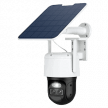
Solar accessories also introduce structural considerations. The panels also add wind resistance that can affect mounting stability, and they’re another component that can fail. For cameras in high-traffic areas or extreme climates, running a low-voltage power cable often proves more reliable than relying on solar charging.
Motion Detection and AI Features
The difference between usable motion alerts and notification fatigue comes down to how accurately your camera detects motion in your specific environment. Wireless cameras rely on motion detection not just to send alerts, but also to decide when to record, which means detection efficiency directly affects battery life, storage usage, and overall system usability.
PIR Sensors vs Pixel-Based Detection and AI Accuracy
Modern wireless cameras combine Passive Infrared (PIR) sensors with software-based detection. PIR sensors detect heat signatures moving across the frame, which allows the camera to distinguish between people or animals and environmental motion like shadows, headlights, or swaying branches. This dramatically reduces false alerts compared to cameras that rely only on pixel change.
AI classification builds on that detection layer by analyzing recorded events to identify people, animals, or vehicles. In my experience, AI person detection works well during daylight but struggles at night, when infrared footage contains less visual detail. I still get occasional alerts from raccoons that the system thinks are people, but false positives are far less frequent than they would be without AI filtering.
Motion Zones and Smart Notification Management
Motion zones are one of the most important (and most time-intensive) configuration steps. Defining where the camera should and shouldn’t detect activity prevents unnecessary recordings and extends battery life. I had to exclude the far edge of my driveway because passing cars were triggering constant events. I eventually set up separate sensitivity levels for day and night since infrared footage changes how motion appears.
Smart notifications add another layer of control by adjusting alerts based on your routines. My cameras automatically switch to “home” mode when my phone connects to WiFi, which reduces indoor motion alerts when I’m actually home. Properly configured, these tools make motion detection far more manageable, but they require real-world tuning rather than default settings.
Field of View and Camera Positioning
Wireless cameras typically use fixed wide-angle lenses, which means positioning becomes more critical than with adjustable wired systems. Field of view (FOV) refers to how much area the camera captures in a single frame. My wireless cameras have roughly a 110-degree view, which sounds wide until you realize how much distortion occurs at the edges. Detail drops off as subjects move away from the center of the image, and faces become difficult to identify beyond about 70 degrees.
I relocated my front door camera twice, trying to cover both the porch and driveway entrance, but obstacles like my mailbox still created blind spots. Wide-angle lenses also make subjects appear farther away than they are, which can lead to underestimating how close a camera needs to be for usable identification footage.
Pan/Tilt/Zoom Trade-Offs
Pan-tilt-zoom (PTZ) capabilities in wireless cameras offer remote movement, but come with serious trade-offs that manufacturers don’t advertise. The motor mechanisms drain batteries rapidly (significantly faster than fixed cameras). I tested a rechargeable PTZ wireless camera that lasted roughly six weeks per charge compared to about four months for fixed models.
Coverage is also limited by direction. A PTZ camera can only watch one spot at a time, so you’ll miss things happening elsewhere while the camera’s turned away. For most residential setups, strategically placing multiple fixed cameras provides more consistent coverage than relying on fewer movable units, even if the upfront cost is higher.
Weather Resistance and Durability
IP weather ratings are useful for baseline comparison, but they don’t fully reflect how cameras hold up in real outdoor conditions. Long-term durability depends just as much on placement, exposure, and mounting as it does on the rating printed on the box.
- Mounting location matters more than IP ratings. Cameras installed under eaves or overhangs typically last longer than units fully exposed to rain, snow, and direct weather.
- Heat and cold affect housing materials. Prolonged sun exposure can make casings brittle, while extreme heat may weaken mounting adhesives and seals over time.
- “Weatherproof” doesn’t stop condensation. Internal fogging can occur in humid conditions, particularly during temperature swings between night and morning.
- Solar panels increase wind load. Panel attachments create additional surface area that can introduce camera movement and mounting strain in strong winds.
- Mount design impacts tamper resistance. Magnetic mounts are easier to remove, while screw-mounted brackets provide more secure, theft-resistant installation.
Cloud Storage vs Local Storage Options
The ongoing costs and data control issues with cloud storage often surprise people after they’ve already committed to a camera system. Most wireless cameras steer you toward monthly cloud fees because setting up local storage means buying extra equipment and dealing with technical complexity that kills the simple setup appeal.
Key considerations from my experience:
- Cloud storage increases bandwidth usage. Continuous uploads and retry attempts can consume more upload capacity than advertised.
- Local storage adds setup complexity. Network video recorders or NAS systems require configuration and maintenance.
- Internet outages limit cloud access. Without connectivity, remote viewing and cloud playback are unavailable.
- Privacy policies vary by provider. Footage stored on third-party servers is subject to platform data practices and legal access policies.
For buyers prioritizing simplicity and remote access, cloud storage remains the easiest path. Those focused on long-term cost control and data privacy often prefer local or hybrid storage models, provided they’re comfortable managing the additional setup.
Privacy and Data Security
Wireless security cameras don’t just record activity; they also collect, store, and transmit footage through third-party platforms. For cloud-based systems, this means recorded video is stored on manufacturer-operated servers rather than within the home. While this enables remote access and simplified playback, it also introduces questions around data access, retention policies, and account security.
Privacy protections vary by provider. Some platforms encrypt footage in transit and at rest, while others retain clips for extended periods depending on subscription tiers. You should also be aware that cloud-stored footage may be subject to legal requests or data-sharing policies outlined in the provider’s terms of service.
Account security plays an equally important role. Weak passwords or unsecured logins can expose camera feeds to unauthorized access. Enabling two-factor authentication, maintaining secure home networks, and reviewing platform privacy settings all help reduce risk when using cloud-connected surveillance systems. For a deeper look at how footage is stored, accessed, and shared, see our guide on surveillance cameras and data protection.
Installation Challenges and Mounting Solutions
Wireless camera installation seems straightforward, but placement quickly becomes a balance between signal strength and optimal viewing angles. A location that provides the best security coverage isn’t always where Wi-Fi performs reliably, which can lead to connection drops, delayed alerts, or degraded video quality if not planned carefully. Testing signal strength at each intended mounting point before installation helps avoid repositioning cameras later.
Mounting hardware is another common friction point. The anchors included with most cameras are designed for basic wood or siding installs and may not hold securely in brick, stucco, or concrete. Heavier mounts, solar panels, or exposed installations typically require upgraded anchors and more secure fastening to prevent loosening over time.
Professional installation makes sense if you’re mounting cameras higher than single-story roof lines or dealing with challenging WiFi coverage areas. Installers can assess signal conditions, recommend access point placement if needed, and use commercial-grade mounting hardware and weatherproofing methods.
If you hire a pro to install them, costs generally range from $100–$200 per camera, depending on mounting height and complexity. While DIY installation works well for accessible locations, professional setup can reduce risk, particularly where ladder work, exterior drilling, or long-term mounting stability are concerns. If you’re planning your first setup, our guide on how to install surveillance cameras walks through placement, mounting, and network preparation step by step.
Integration with Smart Home Systems
These wireless camera companies often trap you within their closed smart home ecosystems, which can affect compatibility if you’re already using voice assistants or automation platforms. While most major brands offer some level of integration, functionality is typically strongest within their own preferred ecosystem and more limited with competing platforms.
For example, my Ring cameras work great with Alexa. The live feed works well on Echo Shows and the app. However, the same cameras may offer reduced functionality (or no integration at all) with Google Assistant or Apple HomeKit devices. This can limit automation options, voice commands, and cross-device routines if your smart home setup spans multiple platforms.
Integration depth also varies. Some systems support basic features like live feeds and motion alerts, while others allow more advanced automation through third-party platforms such as Home Assistant. These deeper integrations enable custom routines and system-wide triggers but often require significant technical configuration.
Because switching camera ecosystems usually means replacing hardware and subscriptions, it’s important to buy cameras that work with your current smart home gear. This helps avoid platform lock-in and ensures your cameras work seamlessly with the devices and assistants you already use.
App Experience and Software Reliability
For wireless security cameras, the mobile app is the primary control interface. Live viewing, motion alerts, playback, device settings, and subscription management all run through the manufacturer’s software platform. As a result, app performance has a major impact on how responsive and usable the system feels day to day.
Alert speed and playback loading times are two of the biggest differentiators between platforms. Some apps deliver motion notifications instantly and load recorded clips quickly, while others introduce delays that make reviewing events frustrating. Search tools, timeline navigation, and clip filtering also vary widely in usability.
Software updates and feature gating further shape the ownership experience. Firmware updates can improve detection accuracy and security over time, but some features, such as advanced AI alerts or extended video history, may sit behind subscription paywalls. Evaluating app reviews and feature access before purchase helps set realistic expectations beyond the hardware itself.
Budget Considerations and Total Cost of Ownership
The upfront price of wireless cameras is only part of the long-term cost. Subscription fees, accessories, replacement batteries, and storage upgrades often exceed the original hardware investment within a few years. Understanding total cost of ownership helps buyers compare systems more accurately, especially when weighing cloud-based platforms against self-hosted alternatives.
Subscription-based systems typically cost less upfront but accumulate higher long-term expenses due to monthly cloud storage fees. On the other hand, self-hosted platforms eliminate recurring costs but require greater initial investment in recording hardware and networking equipment.
Common Wireless Camera Mistakes and Lessons Learned
Wireless camera issues are often the result of planning oversights rather than hardware failures. Understanding the most common setup mistakes can help prevent coverage gaps, maintenance headaches, and unreliable footage after installation.
- Underestimating WiFi range requirements. Camera locations that look ideal for coverage may fall outside strong signal zones, leading to disconnections or degraded video quality without additional network support. My garage camera location looked perfect for coverage, but was too far from my router, requiring a mesh node addition that I should have planned from the start.
- Ignoring seasonal battery performance. Battery life drops significantly in cold weather, which can disrupt maintenance schedules planned around warmer conditions. I planned maintenance schedules based on summer battery life, but ended up with dead cameras during winter when battery drain doubled.
- Mounting cameras too high for facial recognition. Elevated placement improves overview coverage but reduces facial detail needed for identification or incident reporting. My side yard camera, mounted at 12 feet, captures great property overview footage, but can’t identify faces clearly enough.
- Not testing recording quality during network peak hours. Video performance can decline during high household internet activity if bandwidth isn’t sufficient. My cameras record fine during the day, but turn into slideshow quality between 7–10 PM when everyone’s streaming video.
- Assuming solar panels work year-round. Reduced daylight hours and winter weather can limit solar charging effectiveness. I installed solar in the summer and thought I’d solved battery maintenance forever, only to discover they barely function during short winter days.
Choosing Between Wireless Camera Systems
Choosing the right wireless camera system comes down to how much time, technical effort, and long-term cost you’re willing to take on. While most wireless cameras share similar core features, the ownership experience varies significantly between subscription-based ecosystems and self-hosted platforms.
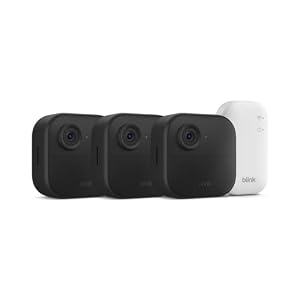
Plug-and-play systems from brands like Ring and Arlo prioritize fast installation and minimal configuration. Setup is typically app-driven, cloud storage is enabled by default, and ongoing maintenance is limited to charging batteries and managing subscriptions. These platforms are designed for buyers who want immediate coverage without dealing with networking equipment or storage infrastructure.
More configurable platforms, such as Reolink and Ubiquiti UniFi, focus on long-term value and data control. They often support local storage, self-hosted recording, and deeper network customization. However, that flexibility comes with a steeper learning curve, requiring time spent configuring recording systems, storage devices, and remote access.
Subscription-based cameras protect you quickly without tech hassles, while self-hosted systems trade simplicity for control, privacy, and lower long-term costs. For most buyers, starting with fewer cameras than planned allows you to test performance across network conditions, battery cycles, and seasonal changes before expanding system coverage.