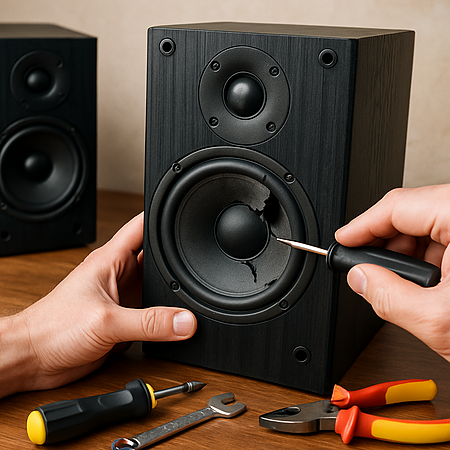
Speakers don’t usually fail overnight. More often, you’ll notice distortion, buzzing, weak bass, missing highs, or one speaker sounding quieter than the other. Before assuming they’re ruined, it’s worth knowing that many common speaker problems are fixable — often with basic tools and a careful inspection.
This guide walks you through how to diagnose what’s actually wrong, rule out simple setup mistakes, and repair or replace damaged components when necessary. Whether you’re dealing with a dented tweeter, a torn surround, loose wiring, or a suspected blown driver, the steps below help you decide when a DIY fix makes sense and when replacement might be the smarter option.
Quick Answer: How Do You Fix Speakers?
To fix speakers, first confirm the issue isn’t caused by cables, power, or audio settings. If the problem is internal, inspect the drivers for visible damage, test continuity with a multimeter, and repair or replace the faulty component (such as a tweeter, woofer, or crossover). Many common speaker issues, like dented cones or loose wiring, can be repaired with basic tools and careful reassembly.
What You’ll Need:
- Duct Tape (for dented cones or tweeters)
- Vacuum
- Screwdriver Set
- Digital Mutlimeter
- Speaker Repair Glue or Adhesive
- Soldering Iron (for advanced repairs)
- Any Replacement Parts (e.g., new cone or tweeter)
Quick Fixes for Common Speaker Issues
Before diving into complex repairs, it’s wise to rule out simple issues. Many “speaker problems” are actually caused by setup errors or external issues. Go through these quick troubleshooting steps to ensure the problem truly lies within the speaker hardware:
- Check Connections: Make sure all speaker wires are securely connected and matched to the correct terminals.
- Confirm Power Supply: Ensure your speaker or amplifier is turned on and not muted or in protection mode.
- Test the Audio Source: Try playing different audio or switch devices to see if the problem lies with the source.
- Review Settings: Double-check your system’s audio settings for balance, EQ, or disabled speaker outputs.
Step 1: Assess the Problem
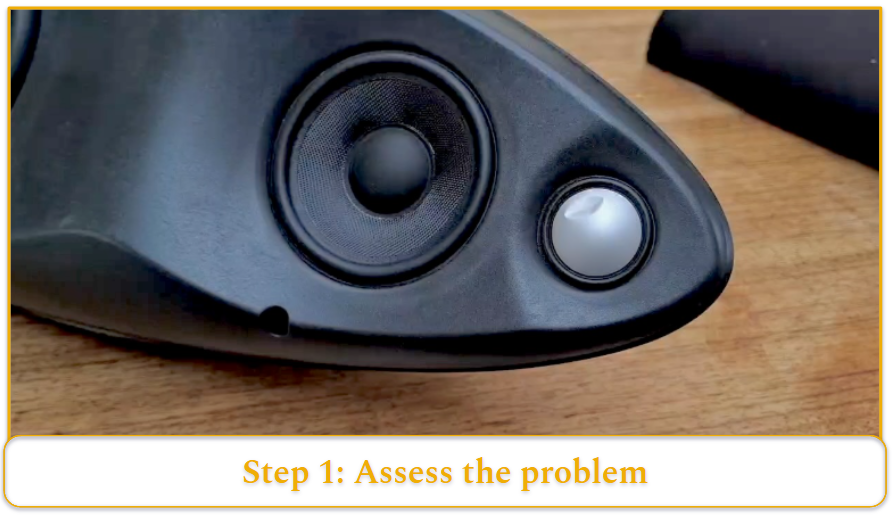
Use three methods:
- Listen carefully (distortion, missing highs, weak bass)
- Visually inspect (tears, dents, loose wires)
- Test with a multimeter (check continuity and resistance)
If a driver is blown or physically damaged, you can either repair the component or replace it entirely. Replacing a small bookshelf woofer is often straightforward. Reconing a vintage driver or repairing circuitry is more involved.
Step 2: Disconnect the Power and Remove Covers/Grilles
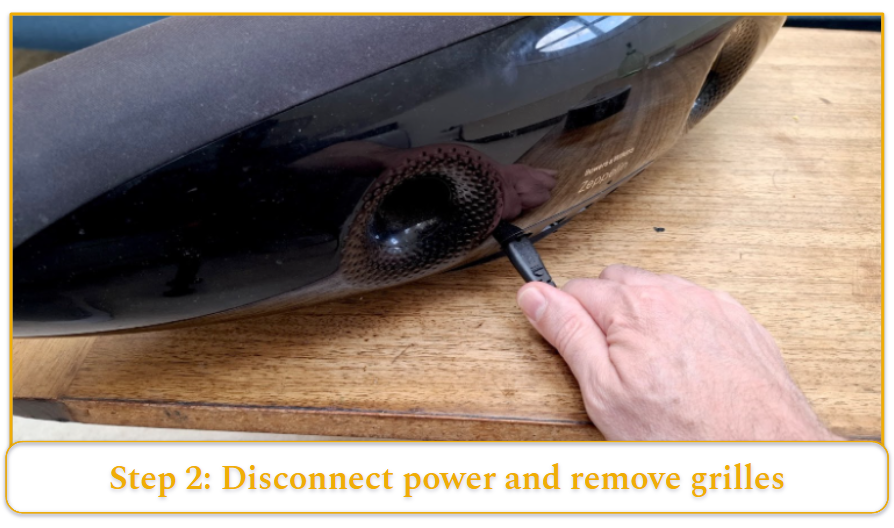
Always start by unplugging any power and disconnecting the speaker from the amplifier. Remove any exterior grille or cover
If the problem lies deeper, use a screwdriver to take out the screws holding the speaker driver or panel. In many home speakers, the drivers (woofer, tweeter) are front-mounted with 4–8 screws around the perimeter.
Carefully pull the driver out of the cabinet. It may be snug due to a sealing gasket. If it doesn’t come out easily, check for any additional screws or clips. Once open, disconnect the wires attached to the driver (usually spade connectors or soldered leads). Remember which wire goes to positive and negative (mark them if needed). Now you have access to the damaged component.
Step 3: Repair or Replace the Damaged Component
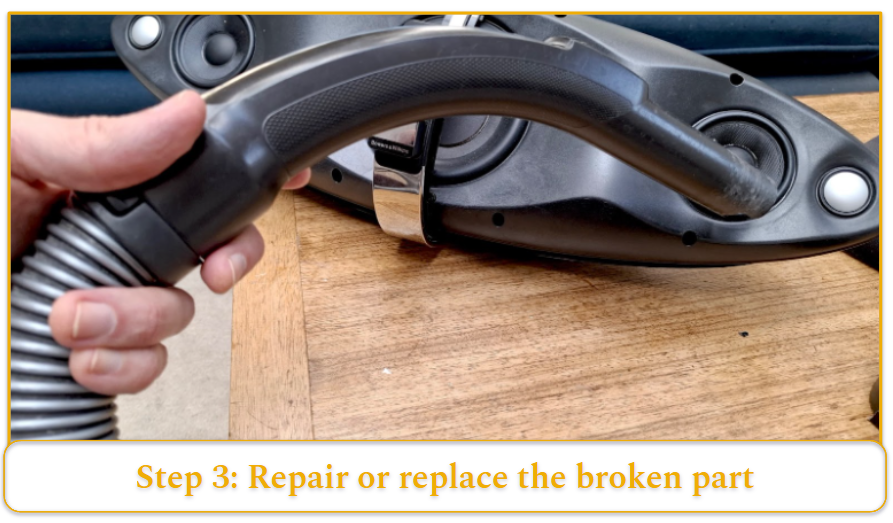
Dented Tweeter or Dust Cap (Easy Fix)
Use duct tape to gently pull out dents. Press lightly and pull straight back. If needed, use a vacuum with low suction to lift the dent carefully.
Replacing a Driver
If the driver is blown:
- Fully disconnect or desolder it
- Install an identical replacement (matching impedance and size)
- Reconnect wires correctly
Cone or Surround Damage
Minor tears can be patched with speaker repair glue and thin fabric. Larger damage requires a recone or re-foam kit and careful alignment.
Step 4: Reassemble and Test
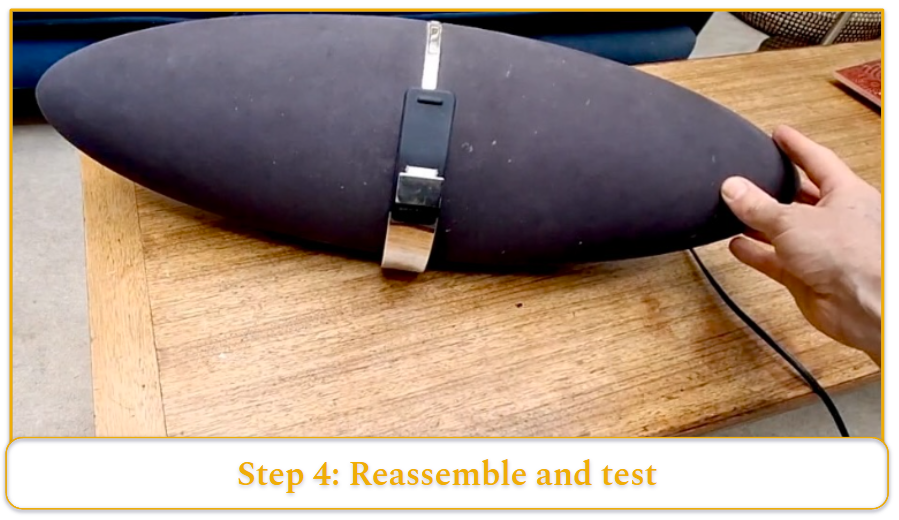
Once the speaker is repaired, reconnect the speaker to your system and test it at low volume first. Play some music or test tones and listen carefully to ensure the new part is functioning and that there are no new rattles or issues.
Gradually raise the volume to a normal level and verify that the speaker sounds clean and balanced. If everything sounds good, put the grille or cover back on – your speaker is repaired!
Not every speaker can be fixed easily – sometimes the damage is too extensive (for instance, a warped frame or multiple components blown). In those cases, consider the cost and effort: you might replace the entire speaker unit or seek professional repair if the speaker is valuable.
However, for most common issues like the ones we’ve discussed, following these steps will have your home audio speaker working again without a trip to the store or the repair shop.
How to Tell If Your Speaker Needs to be Repaired
Determining whether a speaker is damaged involves using your ears, eyes, and a couple of simple tools. Below we cover audible warning signs, visual clues, and diagnostic techniques that indicate a speaker needs repair.
Audible Warning Signs
- Distortion or buzzing
- Crackling at higher volumes
- Missing bass or treble
- Intermittent sound
- Complete silence
In multi-driver systems, missing highs often indicate a failed tweeter, while weak bass suggests woofer damage.
Visual Clues
Sometimes you can see the problem. Carefully remove the speaker’s grill or cover and inspect the driver components. Look for tears, holes, or cracks in the cone or surround.
Also check if the speaker’s dust cap (the small dome in the center) is dented or if any parts of the cone are deformed. Inspect the speaker’s wiring and terminals: a loose or detached wire might be visible and can lead to no sound output.
In some cases you might detect a burnt smell or charred coil, which indicates the voice coil overheated. Any obvious physical damage or disconnection means the speaker likely requires fixing.
Diagnostic Tools
If the symptoms aren’t obvious, a few simple tests with tools can confirm the speaker’s condition.
A multimeter is extremely useful: disconnect the speaker and measure its impedance or continuity across the terminals. A healthy speaker driver usually shows a steady resistance (close to its rated impedance, e.g. 4–8 Ω), whereas a blown voice coil may read as an open circuit or infinite resistance (no continuity).
You can also use audio test tones or a sine wave sweep played through the speaker to pinpoint issues: for instance, a rattling at certain bass frequencies could mean something is loose, or silence in a high-frequency test tone could confirm a dead tweeter. These diagnostic methods help verify whether the speaker needs repair or if the problem lies elsewhere (such as the amplifier or source).
Common Problems and What They Sound Like
Not all speaker problems are equal – some are quick fixes, while others require significant effort or expertise. Below is a breakdown of common speaker issues and the relative difficulty of repairing them:
Dented Speaker Cone or Tweeter (Easy)
Dented tweeters and speaker cones are common issues that can affect sound quality, especially in high-fidelity setups.
Dust cap dents are usually cosmetic with minimal audio impact, but larger cone damage can cause noticeable degradation. Fortunately, many dents — especially in dust caps or soft domes — are relatively easy to fix with basic tools and care.
Loose Connections (Easy)
Wiring issues are one of the simplest to fix. Symptoms include crackling or the sound cutting in and out, which often result from a loose speaker cable or a bad solder joint. Repair usually involves re-seating or tightening connections, or re-soldering a wire, which is straightforward even for beginners.
Blown Tweeters (Moderate)
When a tweeter fails, you’ll lose the high-frequency output from that speaker (music may sound muffled or lacking detail). Replacing a tweeter driver or its diaphragm is typically moderate in difficulty.
It often involves unscrewing the old tweeter and dropping in a compatible replacement part. Basic soldering or connecting of two wires may be needed. As long as you can obtain the correct tweeter for your model and use a screwdriver and soldering iron, this repair is very doable.
Damaged Cones (Challenging)
A woofer or midrange with a torn cone or foam surround will distort sound and buzz. Fixing cone damage can be challenging because it may require a recone kit or surround replacement kit specific to your speaker.
Minor tears can sometimes be patched with special speaker repair glue and fabric or paper patches, but larger damage means you must remove and replace the cone (and often the voice coil and spider) entirely.
This process requires careful alignment of components and patience. It’s a more time-consuming repair, but many enthusiasts successfully re-foam or recone their speakers with the right kit and instructions.
Faulty Crossovers (Advanced)
Crossovers are the circuits inside speakers that direct frequencies to the appropriate drivers (tweeter, woofer, etc.). If a crossover fails (due to a burned-out capacitor, inductor, or resistor), the speaker might lose a range of frequencies or stop working.
Diagnosing a bad crossover can be tricky. You might notice one driver (like the tweeter) isn’t working despite the driver itself being fine. Repairing it often requires electronics skills.
This is considered advanced because it involves reading schematics or at least identifying electronic parts and safely using a soldering iron on a circuit board. If you’re not comfortable with that, this is one of those repairs that might be best left to a professional.
Preventative Maintenance
Once you’ve fixed your speakers (or if you want to avoid problems in the first place), a bit of simple maintenance will keep them sounding great for years. Here are some tips to help prevent future speaker damage and ensure longevity:
- Regular Cleaning: Wipe down the cabinets and remove dust from the speaker cones and grills using a soft cloth or brush. This keeps airflow clear and prevents sound distortion caused by buildup.
- Avoid Overloading: Don’t crank the volume beyond what your speakers can handle. Distortion or overheating can damage the voice coils. Stick to moderate levels and use an amp that matches your speaker’s power rating.
- Proper Storage and Placement: Keep speakers in a dry, room-temperature environment and avoid damp or overly hot areas. Store them safely away from strong magnets and places where they could be knocked over.
- Routine Inspections: Check for loose screws, cracked surrounds, or deteriorated foam every few months. Catching small issues early can prevent larger, more expensive problems later.