

Choosing between an Android tablet and an iPad isn’t really about specs—it’s about how you plan to use it day to day.
Some people want something simple that just works. Others want flexibility, lower cost, or laptop-like features. And if you already use a smartphone, your ecosystem can matter more than anything else.
This guide breaks down Android vs iPad across the areas that actually affect your decision (performance, apps, multitasking, price, and long-term value) so you can confidently pick the right one.
Quick Answer: Android vs iPad
Choose an iPad if you want consistency, premium apps, strong long-term support, and close integration with Apple devices. Choose Android if you want more freedom, more hardware variety, better price flexibility, or features that Apple does not offer in the same way.
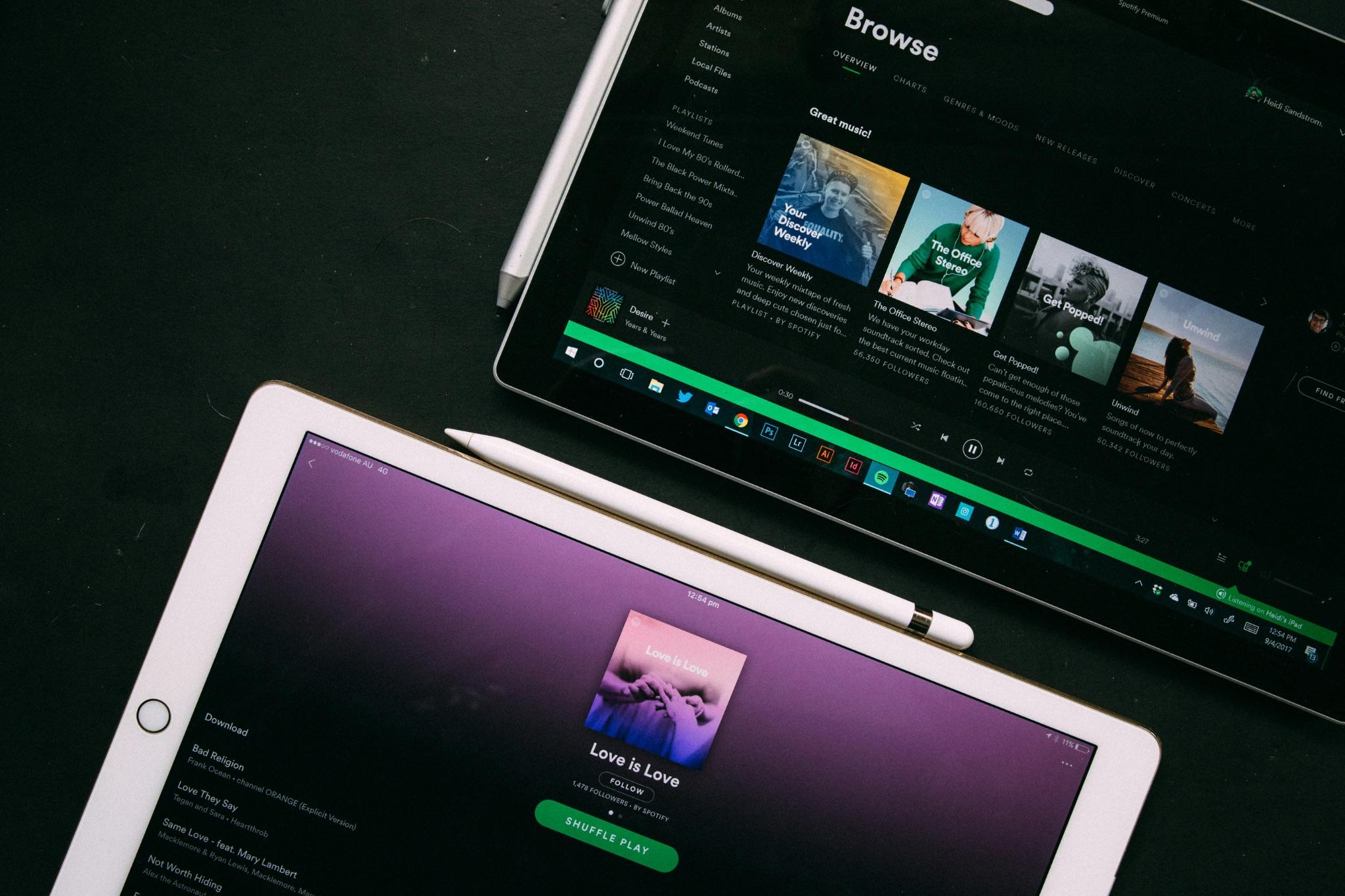
Photo by: Heidi Fin, Unsplash.com
Hardware and Design: Consistency vs. Variety
iPad
Apple keeps its lineup tight and consistent. You know what you’re getting:
- Premium materials
- Strong performance across models
- Clean, refined design
Even entry-level iPads feel well-built, and high-end models push into laptop territory.
Android
Android tablets vary widely:
- Budget to premium options
- Different sizes, shapes, and features
- Some niche designs (rugged, ultra-large, etc.)
Bottom line:
- iPad = consistent quality
- Android = more choice (but less predictable)
Operating System & User Experience: Simplicity vs. Flexibility
iPad
iPadOS emphasizes consistency, simplicity, and ease of use. The interface is familiar across models, which makes the platform approachable and dependable. The downside is limited customization.
Android
Android offers much more freedom. Depending on the brand, you can change launchers, widgets, defaults, and layout behavior much more extensively, which makes the experience feel more personal.
Bottom line:
- iPad = easier, more polished
- Android = more control, less consistency
App Ecosystem and Optimisation: Where iPad Still Wins
iPad
- Best-in-class tablet apps specifically for larger screens
- Strong for:
- Note-taking
- Drawing
- Video/photo editing
Android
- Huge app library
- Some apps are still phone-stretched
- More freedom (third-party installs, experimental tools)
Bottom line:
- iPad = better tablet apps
- Android = more freedom
Productivity and Multitasking: Structured vs. Open
iPad
iPad multitasking is polished and easy to manage. Split-screen, floating windows, and Apple’s newer windowing tools make multitasking smooth without feeling cluttered. Apple also retains an edge in raw performance for heavier workloads.
Android
Premium Android tablets often feel more flexible for serious multitasking. Some offer desktop-style modes, broader window controls, and better support for external monitors.
Bottom line:
- iPad = clean and efficient
- Android = more laptop-like flexibility
Stylus and Keyboard Support: Premium vs. Value
iPad
Apple’s Pencil experience is excellent, with precise input, low latency, and deep app integration. Apple’s keyboard accessories also tend to feel more refined.
Android
Many Android tablets offer strong stylus support as well, and some include the pen in the box, which improves value. Keyboard options are more varied, though not always as polished.
Bottom line:
- iPad = best experience
- Android = better value
Media, Gaming, and Entertainment: Performance vs. Value
iPad
- Excellent gaming performance
- Smooth, reliable experience
- Strong display quality
Android
Android tablets are also strong entertainment devices, often offering large displays, high refresh rates, strong speakers, and long battery life at lower prices.
Bottom line:
- iPad = performance edge
- Android = better value for media
File Management and Connectivity: Closed vs. Open
iPad
The iPad has improved in file handling and now works much better with external storage and cloud services. Still, Apple keeps the experience relatively controlled.
Android
Android tablets usually offer a more computer-like approach, with easier local file access, expandable storage on some models, and broader flexibility for accessories and data movement.
Bottom line:
- iPad = simple
- Android = more powerful for files
Ecosystem Integration: Key Factor for Decision-Making
iPad
If you already use an iPhone, Mac, or Apple Watch, the iPad fits in seamlessly. Cross-device features such as syncing, shared messaging, and continuity are major strengths.
Android
Android tablets also work well with Android phones, Windows PCs, and Google services, though the experience can vary more by brand.
Bottom line:
- Already using Apple? → iPad
- Want flexibility? → Android
Security, Privacy, and Software Updates
iPad
Apple stands out for long software support, consistent updates, and a stricter approach to privacy and app behavior. That helps both security and long-term value.
Android
Android support has improved significantly, especially on premium models from major brands. However, update quality and longevity still vary much more across the market.
Bottom line:
- iPad = safest long-term choice
- Android = depends on model
Price and Value: Upfront vs. Long-Term
iPad
- Higher starting price
- Accessories cost extra
- Better resale value
Android
- Huge price range
- Strong budget options
- Often better value upfront
Bottom line:
- Android = cheaper upfront
- iPad = better long-term investment