



































Summary: Outdoor security cameras face unique challenges. This guide explains how to evaluate performance, placement, and long-term value before you install.
Outdoor security cameras deal with challenges that indoor units never face. Weather exposure, temperature swings, seasonal lighting shifts, and long-term UV radiation all affect reliability in ways spec sheets rarely explain.
I learned this firsthand after installing Ring cameras around my home. One unit survived multiple winters and intense summer heat but slowly faded from UV exposure, while another developed condensation inside the housing that affected image clarity. Experiences like these (combined with my engineering background) reshaped what I look for in exterior cameras.
This guide focuses on the outdoor-specific factors buyers need to understand before installing. I’ll break down the specs and real-world performance considerations that determine whether a camera actually holds up outside over time. For a deep dive into surveillance cameras, take a look at our main surveillance camera guide.
Critical Outdoor Performance Features
Outdoor cameras operate under conditions that indoor units rarely face. Exposure to weather, wide coverage areas, and longer viewing distances all influence how well key features perform once installed outside.
I began to see this after running exterior cameras continuously. Performance gaps didn’t show up immediately – they surfaced over time. Identification distances were shorter than expected, night clarity dropped at the edges of coverage zones, and mounting stability became part of long-term reliability. It changed which specifications I pay closest attention to when evaluating outdoor models.
Video Resolution for Outdoor Identification
Resolution has a direct impact on how much detail a camera can capture, but outdoors, the more relevant factor is usable identification distance.
With my 1080p doorbell camera, facial detail is clear at roughly 12 feet, which is ideal for entry monitoring. Beyond that range, clarity declines quickly. License plates around 20 feet are visible but not consistently readable, even in strong lighting. That limitation becomes more noticeable when cameras are positioned to monitor driveways or street approaches.
Higher resolutions, such as 4K, increase pixel density and extend the identification range. However, the added detail comes with practical tradeoffs. Increased bandwidth demand, larger storage files, and higher power consumption all factor in, particularly for wireless surveillance camera systems. In my testing, battery longevity dropped noticeably when recording continuously at 4K.
Digital zoom is often misunderstood in this context. Most outdoor cameras rely on digital enlargement rather than optical magnification. Instead of bringing subjects closer, the image is cropped and expanded, which does not restore lost detail.
Compression also plays a role. Wireless cameras commonly use H.264 encoding to manage bandwidth and storage. While efficient, it reduces fine image detail, which becomes noticeable when reviewing distant subjects.
Night Vision Range and Performance
Night vision allows cameras to record in low-light environments using infrared illumination. IR LEDs project light invisible to the human eye, enabling the sensor to capture monochrome nighttime footage.
Manufacturer range claims often reflect motion visibility rather than identification clarity. In my installation, a camera rated for 30 feet produced reliable facial detail closer to 20 feet. Beyond that distance, subjects remained visible but lacked defining features.
Infrared LED placement affects illumination quality. Cameras with evenly distributed emitters produce more balanced lighting, while offset clusters can create hotspots and shadowed areas that obscure faces.
Color night vision operates differently. It relies on available ambient light, such as porch lighting or streetlights, to produce color footage. In fully dark environments, the camera reverts to infrared recording. For properties with limited exterior lighting, this distinction is important.
Weather Resistance Ratings
Ingress Protection (IP) ratings classify resistance to dust and water intrusion. For outdoor cameras, the second digit (water protection) is the most critical measure.
That said, ratings reflect controlled testing conditions. Real-world performance depends heavily on mounting position and exposure. My IP65 cameras have remained reliable when installed beneath roof overhangs, while fully exposed units (even with higher ratings) tend to show wear more quickly.
Temperature variation introduces additional stress. Prolonged sun exposure gradually degraded exterior housings in my setup, while winter freezes led to internal condensation in one unit despite its rating. Thermal expansion and contraction can compromise seals over time.
Mounting hardware is also affected. The adhesive brackets I initially used loosened during sustained heat and required replacement with mechanical fasteners. Outdoor durability depends not only on the camera enclosure but on the full installation system supporting it.
Outdoor-Specific Technical Considerations
Specifications that carry weight indoors (resolution, storage, app features) don’t always tell you how a camera will perform outside. Once a unit is exposed to open sightlines, moving shadows, and variable weather, environmental factors start to shape performance just as much as core hardware.
After installing and repositioning multiple exterior cameras, I found that coverage geometry, motion filtering, and power delivery often determined long-term usability more than spec sheet highlights.
Field of View for Outdoor Coverage
Field of view (FOV) measures how wide an area a camera can capture, expressed in degrees. Wider angles allow a single camera to monitor more horizontal space, which makes them appealing for outdoor installations. However, wider coverage introduces tradeoffs that directly affect identification quality.
As the field of view increases, lens distortion becomes more pronounced toward the edges of the frame. Subjects positioned far from the center appear stretched or softened, reducing usable facial detail. In practical terms, a 110-degree lens may technically capture a driveway and entryway simultaneously, but identification clarity is strongest in the center portion of the image and degrades toward the outer edges.
Wider angles also increase the likelihood of obstructions within the frame. Mailboxes, porch columns, landscaping, or parked vehicles can create blind spots that are less noticeable during installation but problematic during review.
In many exterior layouts, multiple cameras with narrower fields of view provide better identification coverage than a single wide-angle unit. While this increases upfront hardware cost, it allows each camera to focus on a defined zone, improving clarity and reducing distortion-related detail loss.
PIR Motion Sensors for Outdoor Cameras
PIR (Passive Infrared) sensors detect changes in heat signatures within a camera’s field of view. Rather than analyzing pixels, a PIR sensor looks for shifts in infrared energy, typically generated by warm bodies moving across the detection zone.
Outdoors, PIR plays an important filtering role. Wind-blown branches, moving shadows, and headlights may change the image, but they do not produce body heat. A properly tuned PIR sensor can reduce false triggers caused by purely visual movement.
However, PIR has limitations. Detection range is usually shorter than the full camera viewing angle, and sensitivity can vary with temperature. In very hot climates, where ambient temperatures approach body temperature, detection accuracy may decline. In cold weather, battery-powered cameras may also see reduced PIR performance due to lower power output.
PIR does not identify what triggered the motion; it only confirms that heat movement occurred. That distinction is where AI becomes important.
AI Object Detection and Classification
AI detection systems analyze video frames to determine what caused a motion event. Using computer vision algorithms, the camera attempts to classify objects as people, vehicles, animals, or general movement.
Unlike PIR, AI relies entirely on image data. During daylight, when detail is strong, classification accuracy is typically high. At night, especially under infrared illumination, image detail decreases, and object recognition can become less consistent.
AI reduces notification overload by allowing users to filter alerts. For example, recording only when a person is detected while ignoring vehicle traffic. However, classification is probabilistic, not absolute. Animals with similar size and movement patterns to humans can occasionally trigger person alerts.
In outdoor environments, the most reliable systems use PIR to confirm heat-based movement and AI to classify the subject. Together, they significantly reduce false alerts compared to basic motion detection alone, but neither technology eliminates them entirely.
Power Source Options for Outdoor Installation
Power delivery has a direct impact on reliability, especially in outdoor climates. Battery-powered cameras offer installation flexibility, but performance varies significantly with temperature and activity levels.
In moderate conditions, my battery cameras averaged close to their advertised lifespan. Seasonal extremes told a different story. Spring and fall produced roughly four months per charge; summer heat reduced that to closer to three, and sub-freezing winter temperatures cut usable life to around two months.
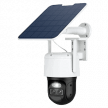
Solar panels can offset some of that drain, but performance depends heavily on geography and sun exposure. At my previous home in Northern Indiana, solar charging kept batteries stable from late spring through early fall. During winter, shorter daylight hours and cloud cover limited charging effectiveness, requiring manual recharging regardless.
For high-traffic coverage zones, such as front yards or street-facing cameras, hardwiring power or running low-voltage cabling tends to provide more consistent uptime than relying on solar replenishment alone. If you’re considering this route, find out more in our solar camera guide before relying on year-round charging.
Storage and Connectivity for Outdoor Security
Outdoor cameras generate large amounts of footage and often sit at the edge of a home network, both physically and digitally. Unlike indoor units, they are more exposed to tampering, cable damage, and unstable wireless conditions.
Storage method and network reliability directly affect whether footage is actually available when needed.
These decisions also determine what happens during outages. A camera that depends entirely on cloud connectivity behaves very differently from one that records locally when the internet drops.
Local vs Cloud Storage for Outdoor Cameras
Cloud storage uploads footage to remote servers, allowing off-site backup and remote access if a camera is stolen or damaged. It also simplifies installation since no additional hardware is required. The tradeoff is full reliance on internet connectivity. If service goes down, cloud-only cameras may lose recording capability, alerts, and live viewing despite still having power.
Local storage (via onboard SD cards or a Network Video Recorder (NVR)) allows cameras to continue recording even during outages. NVR systems also support continuous recording without subscription fees. However, they require more setup and physical protection for the recorder itself. For outdoor deployments, hybrid setups that combine local recording with optional cloud backup offer the most redundancy.
If you’re comparing long-term storage costs, you may want to take a closer look at which micro sd card to use with surveillance cameras.
Network Requirements for Outdoor Cameras
Outdoor camera placement often forces a tradeoff between optimal security coverage and strong Wi-Fi connectivity. Cameras mounted at property edges, garages, or exterior corners frequently operate at the weakest point of the home network, where signal loss and bandwidth constraints become more noticeable.
Key network factors to plan for include:
- WiFi range limitations: Exterior walls and building materials can reduce signal strength by 30–50% compared to indoor installations
- Bandwidth competition: Multiple outdoor cameras uploading footage simultaneously can overwhelm typical home upload speeds, especially during peak usage hours (like evenings)
- Mesh network solutions: Adding a mesh node or dedicated access point near distant cameras can stabilize connectivity and reduce dropouts
- Upload speed testing: Test actual upload speeds at each planned mounting location – not just download speeds – since many internet plans have asymmetrical bandwidth that affects recording quality
- Network congestion planning: Video quality may degrade during high-traffic hours when streaming, gaming, or large uploads compete for bandwidth
Planning around these constraints helps maintain consistent recording quality and reduces connectivity-related footage gaps.
Installation and Mounting for Outdoor Use
Outdoor camera installation requires permanent mounting solutions that withstand weather extremes, temperature shifts, and potential tampering – all of which place stress on hardware over time.
Mounting hardware becomes the weak point in most outdoor installations. Standard plastic anchors included with cameras are designed for light indoor use and may not hold securely in masonry or concrete. Outdoor installations typically require expansion anchors, masonry drill bits, or backing plates, depending on the surface material. These distribute weight more effectively and resist loosening caused by wind vibration and thermal expansion.
Strategic positioning balances security coverage with installation constraints. Ideal surveillance angles don’t always align with strong Wi-Fi signal zones, particularly near garages, property edges, or detached structures. In some cases, improving network coverage, such as adding a nearby access point, is more effective than compromising camera placement.
Professional installation makes sense for high-mounted cameras or challenging Wi-Fi areas. Installers charge around $100–$200 per camera, but bring proper anchors, weatherproofing expertise, and insurance coverage that homeowner policies exclude.
Weatherproof cable management prevents future maintenance headaches. Even wireless cameras need weatherproof power connections for hardwired models or solar panels. Weatherproof grommets, conduit, and silicone sealant are commonly used to protect wiring and reduce the risk of water-related damage over time.
Integration and Smart Features
Outdoor cameras work best when they connect smoothly with your existing smart home gear and security setup. Because they monitor entry points and approach areas, they’re often the devices triggering other responses, like lights turning on, alarms sounding, or live feeds appearing on indoor displays.
How well this works depends largely on ecosystem compatibility. Cameras that sit inside the same smart home platform as your voice assistants and displays usually offer the smoothest automations, while cross-platform setups can feel more limited or fragmented.
Smart Home Integration for Outdoor Security
Smart home integration determines how motion events translate into real-world actions. For outdoor use, that often means linking cameras to exterior lighting, smart speakers, or in-home screens so activity is visible immediately.
Voice assistant compatibility plays a role here. Some platforms are optimized for specific ecosystems, which affects how easily you can pull up live feeds or trigger routines. Functionality isn’t always equal across Alexa, Google Assistant, and Apple HomeKit, so alignment with your existing devices matters more than spec comparisons alone.
Two-way audio performance is another consideration that carries more weight outdoors. Background noise (like wind, traffic, or distance) makes it difficult for weaker speakers to understand. Higher-quality microphones and speakers improve voice clarity when addressing visitors or deterring unwanted activity.
Brand Ecosystem Considerations
Camera companies often design their products to function best within in their own ecosystems, making brand switching expensive and complicated.
Ecosystem lock-in is worth considering before expanding coverage. Subscription models that charge per camera can become costly in outdoor deployments where multiple units are needed. Platforms built around local recording avoid recurring fees but typically require more hands-on configuration and system management.
Budget and Value Analysis
Outdoor camera costs rarely stop at the sticker price. Between subscription fees for multiple units, faster wear from weather exposure, and potential installation costs, the total investment can look very different after a few years.
Subscription-based systems lower the upfront barrier but create recurring monthly expenses. Locally recorded setups require more money and effort at the beginning, yet often cost less over time if you’re comfortable managing the network and storage yourself.
If you’re evaluating total ownership costs, you may also want to find out more about how much a surveillance camera costs.
Common Outdoor Camera Mistakes
Outdoor camera systems often appear straightforward during planning, but certain oversights only become visible after months of real-world use. Many of the issues that affect coverage, reliability, or footage quality stem less from the cameras themselves and more from installation decisions and environmental assumptions.
Below are some of the most common mistakes that tend to impact outdoor deployments:
- Underestimating Wi-Fi range through exterior walls. Mounting locations that provide ideal sightlines may sit at the edge of network coverage. Materials like brick, concrete, and insulation can significantly weaken signal strength, leading to intermittent disconnections unless additional access points are installed.
- Over-tuning motion sensitivity settings. Increasing sensitivity often produces more noise than value. Excess alerts triggered by shadows, insects, or vegetation movement can make notifications harder to manage and reduce responsiveness to meaningful events.
- Ignoring seasonal battery performance changes. Battery life is not static. Cold weather, in particular, can accelerate drain rates and shorten recharge intervals compared to milder seasons.
- Mounting cameras too high for facial identification. Higher placement expands field coverage but narrows identification usability. Cameras installed well above eye level frequently capture head angles rather than clear facial detail.
- Assuming solar panels function consistently year-round. Solar output fluctuates with daylight hours, sun angle, and cloud cover. Winter conditions can reduce charging capacity enough to require supplemental charging.
- Not testing recording quality during peak hours. Evening bandwidth congestion (when household streaming and gaming increase) can affect upload performance, resulting in reduced video quality or playback instability.
How To Choose the Right Outdoor Camera System for Your Home
Choosing an outdoor camera system usually comes down to how involved you want to be in the setup and how you think about long-term cost. Some platforms are built to get you running quickly with minimal effort. Others take more time to configure but give you more control over storage, privacy, and system behavior.
Plug-and-play systems like Ring or Arlo tend to fit buyers who want fast installation and simple app management. You can mount the cameras, connect them to Wi-Fi, and start receiving alerts the same day. The tradeoff is ongoing subscription cost. With multiple outdoor cameras, those monthly fees add up and can eventually exceed the hardware investment itself.
More self-managed platforms, such as Reolink or UniFi, shift the investment toward upfront hardware and setup time. They typically rely on local recording and require some network configuration, which introduces a learning curve. In return, you avoid recurring storage fees and gain more direct control over footage and automation.
For most homes, it makes sense to start with fewer cameras than you think you need. Living with the system across different weather conditions, lighting changes, and daily activity patterns helps you refine placement before expanding coverage. Outdoor environments vary enough that real-world testing almost always leads to adjustments.
At a practical level, subscription systems prioritize convenience, while locally managed systems prioritize long-term value and control. The right fit depends less on camera specs and more on how hands-on you want to be once the system is in place.